11
Audio Configuration
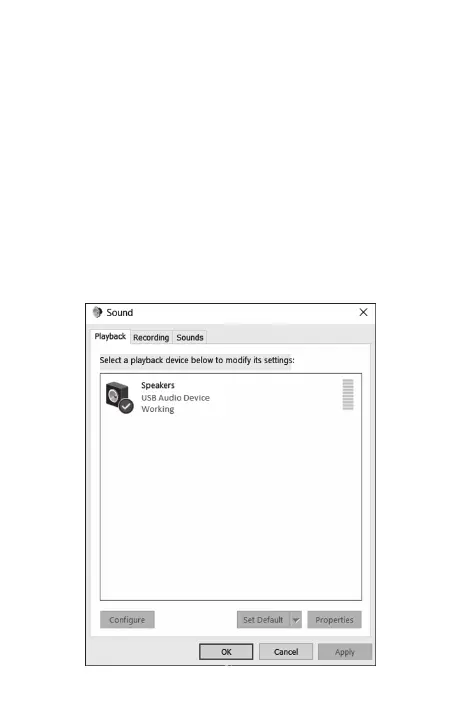
By default, when the docking station is connected to a
computer, the audio configuration may be changed to
USB (Multimedia) Audio Device automatically (this setting
depends on models). If it does not work, follow the steps
below to troubleshoot.
1. Head to your device’s Control Panel and then
select the Hardware & Sound icon.
2. Click Sound > Manage Audio Devices and then
select USB Audio Device.



 To Next Page