8
Connection
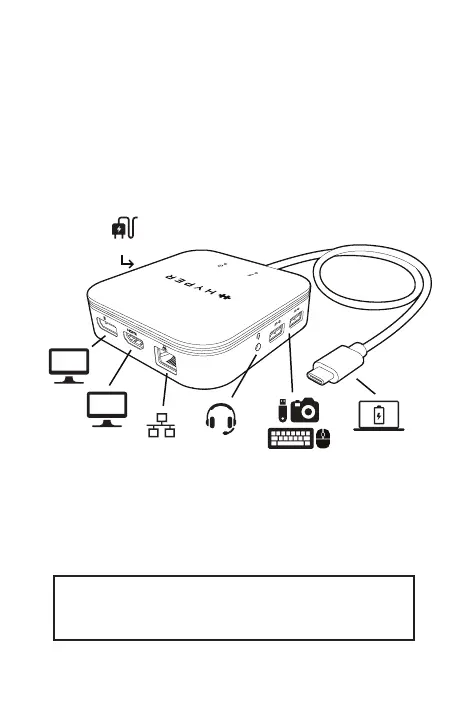
To connect the USB peripherals, Ethernet, speaker, and
microphone, follow the illustrations below:
Connect all your
USB-A devices
Data + Display + Charge
Your Laptop/iPad Pro 2021
Speaker +
Microphone
Gigabit Ethernet
USB-C Power In
DP
HDMI
NOTE: The following steps and screenshots
may vary slightly from each operating system



 To Next Page