EnCrypt PLUS from Hypertec - User Guide
6
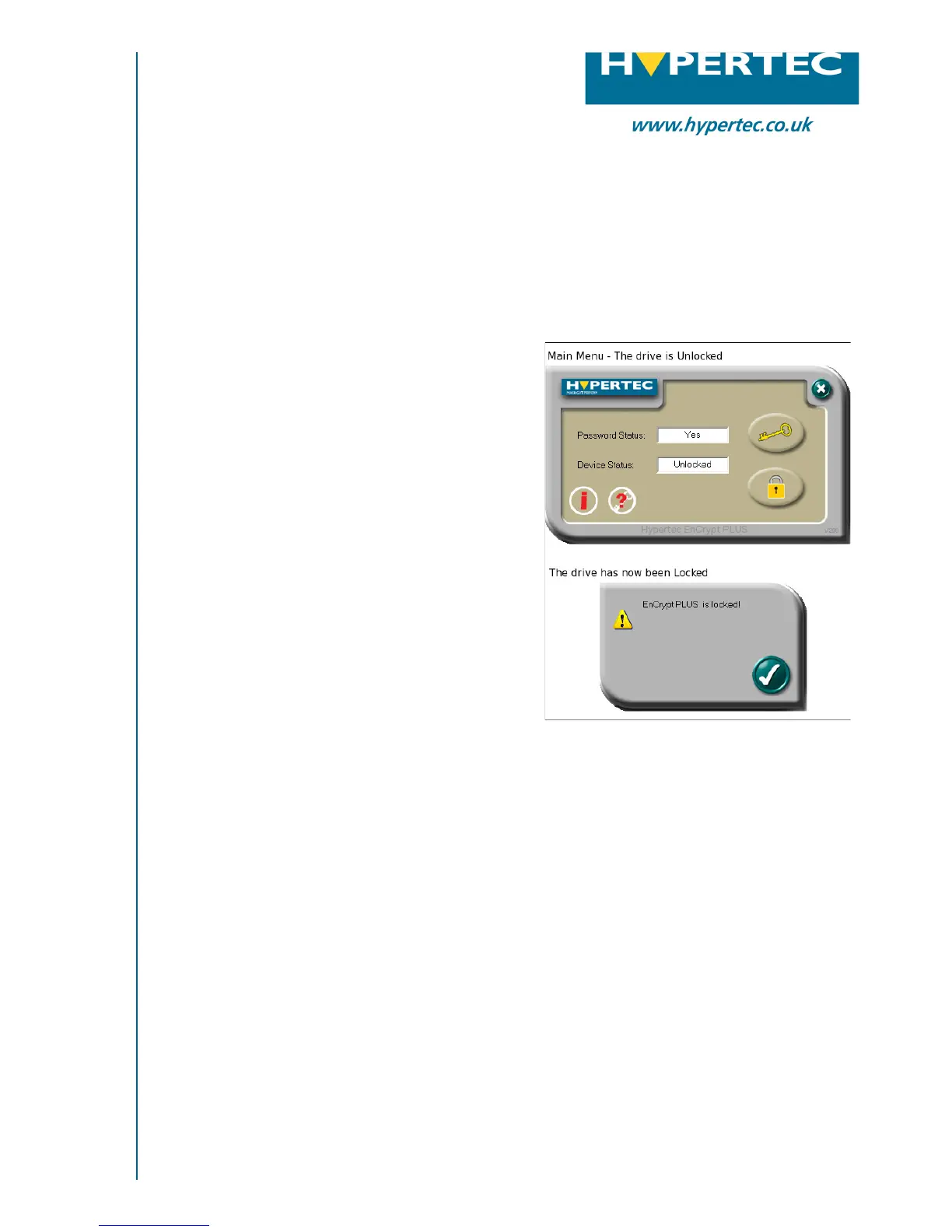
Locking The Drive
To lock the drive simply remove it from the
USB port. It will also become locked if there
is a suspension of the USB power such as
standby mode on your PC.
You can also lock the drive by using the
unlock tool, the same button to unlock the
device will now allow you to lock the device.
Please note that the lock function is per-
formed in the hardware and not in software.
If you unlock the device and then leave the
device unlocked and plugged into the compu-
ter, it will remain unlocked until it is removed
from the USB port or locked using the lock
tool. If you log off, this will not lock the
device.
USB Flash Memory
Hardware Implemented AES Encryption
Please contact Hypertec Ltd for more information:
t: 0870 243 5603 e: info@hypertec.co.uk w: www.hypertec.co.uk


 To Next Page