9
SECTION 3: PROGRAMMING INSTRUCTIONS
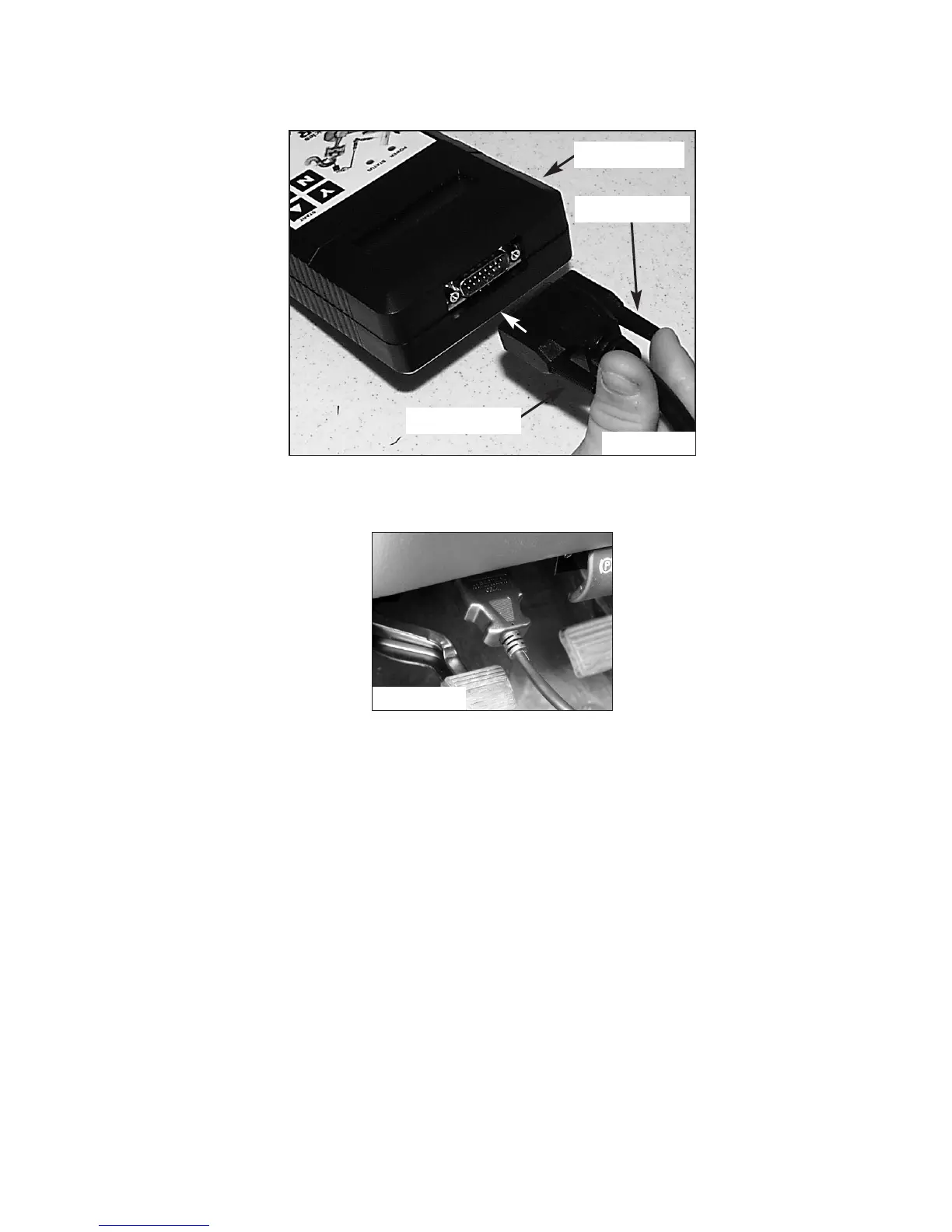
• Connect one (1) end of the provided cable to the programmer
as in Figure D and tighten the two (2) thumbscrews.
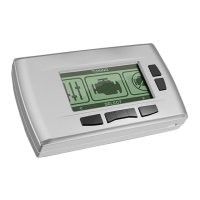
• See Figure E. Locate the Data Link Connector (DLC) under the
driver’s side of the dash panel above the emergency brake.
• Plug the programmer cable into the DLC. Make sure the cable
is plugged in completely to ensure a good connection.
• Set the parking brake to turn off the DRLs (Day-Light Running
Lamps) and turn the ignition key to the RUN position, but do
not start the engine.
IMPORTANT:
-DO NOT leave the vehicle while programming is in process.
-Make sure the vehicle battery is fully charged before programming.
-The key must remain in the RUN position, without the engine
running, during the entire programming process.
-DO NOT operate electrical accessories
(radio, windows, wipers, etc.) while programming.
- If the vehicle is equipped with an OnStar system, make sure
the system is temporarily disabled (see Section 1 for details).
- DO NOT attempt programming while the
vehicle is connected to a battery charger.
Figure D
Programmer
Thumbscrew
Thumbscrew
Figure E


 To Next Page