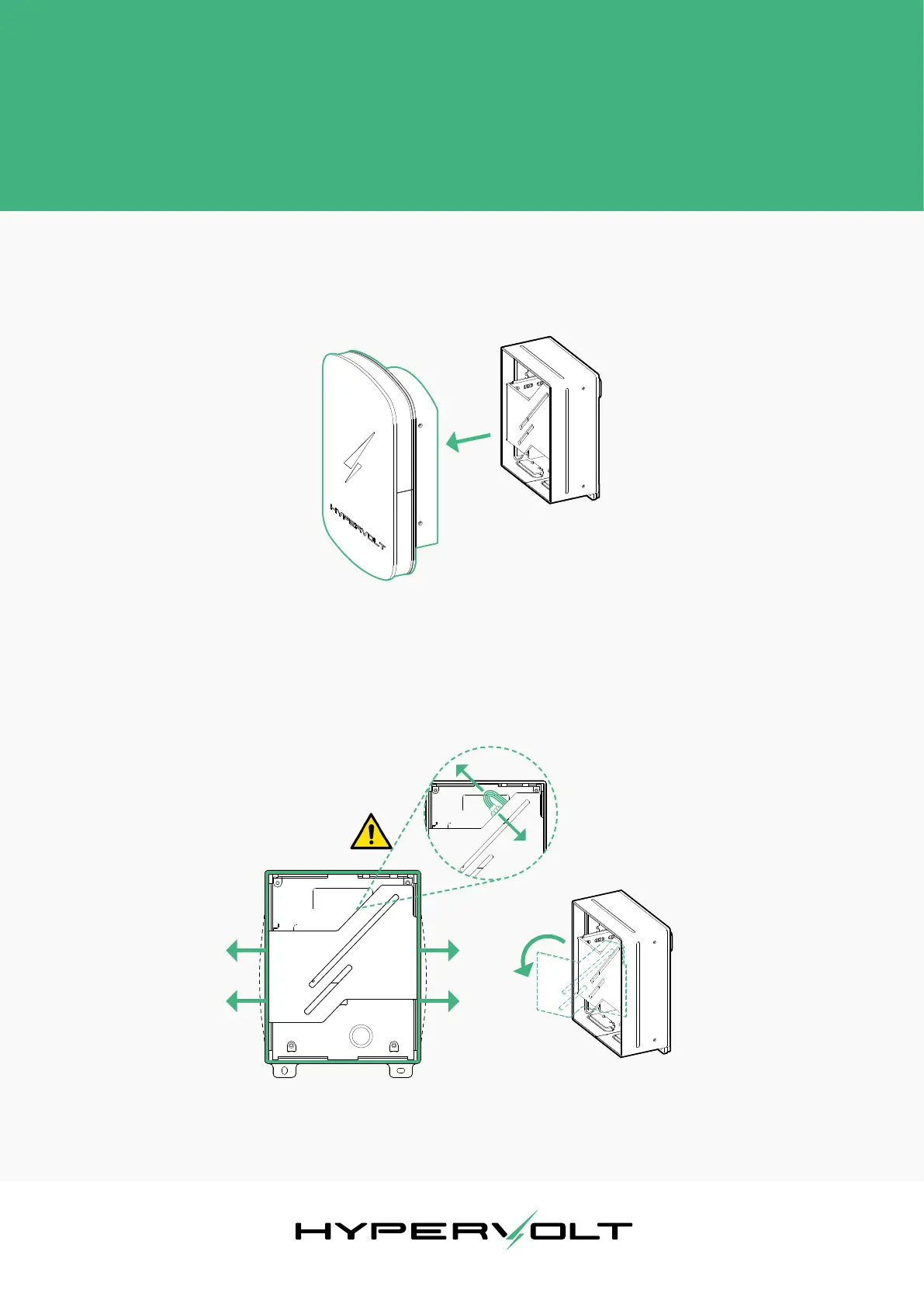
Diagram 2
: Slide outwards to remove the top cover.
Diagram 3
: Disconnect the LED
panel.
Diagram 4
: Pop out the LED
panel.
Before the Installation
Hypervolt Limited, Unit 17, Innovation Business Centre, Rainham, RM13 8HZ, UK 5
Revision 1. Issue date: Feb. 2020
Remove the top cover. Simply slide it away from the rest of
the unit. There should be almost no resistance in doing so.
Place the top cover and its screws somewhere safe.
Next, carefully disconnect the connector at the back of the
LED panel, pop out the LED assembly from its side slots.
and place it somewhere safe.
The unit is now ready to be mounted in the desired location.


 To Next Page