21
Using your Charger Setting up the App
Connect
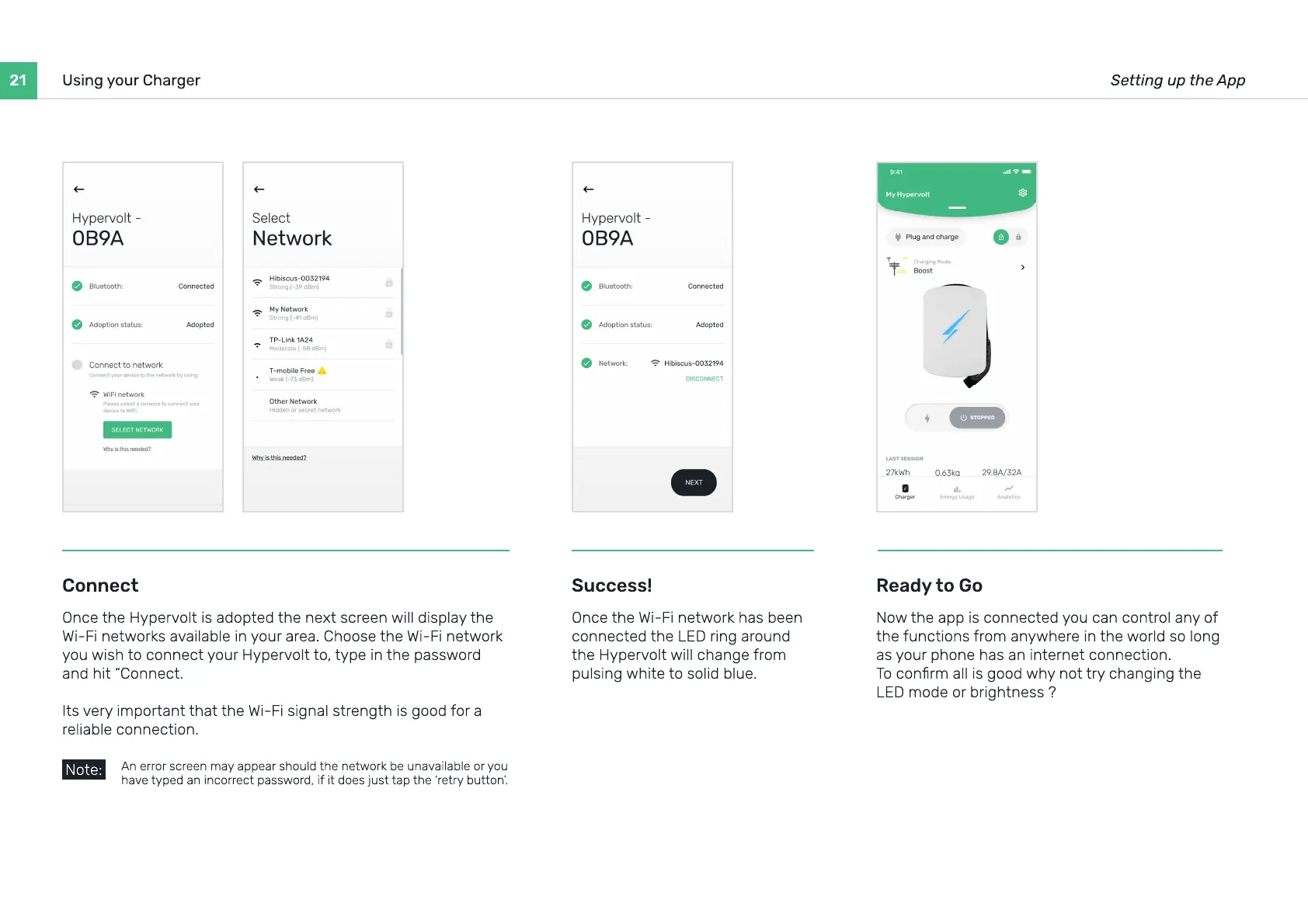
Once the Hypervolt is adopted the next screen will display the
Wi-Fi networks available in your area. Choose the Wi-Fi network
you wish to connect your Hypervolt to, type in the password
and hit “Connect
Its very important that the Wi-Fi signal strength is good for a
reliable connection.
Ready to Go
Now the app is connected you can control any of
the functions from anywhere in the world so long
as your phone has an internet connection
To conrm all is good why not try changing the
LED mode or brightness ?
Success!
Once the Wi-Fi network has been
connected the LED ring around
the Hypervolt will change from
pulsing white to solid blue.
An error screen may appear should the network be unavailable or you
have typed an incorrect password, if it does just tap the ‘retry button’.
Note:


 To Next Page