EasyManua.ls Logo

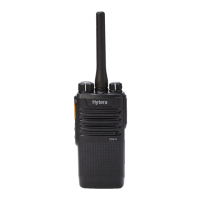
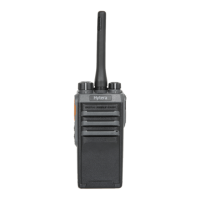
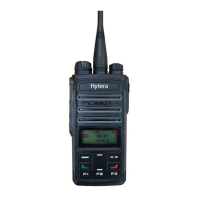
Hytera PD46 Series - User Manual

Hytera PD46 Series
27 pages
Print Icon
To Next Page IconTo Next Page
Loading...
DIGITAL PORTABLE RADIO

Questions and Answers

  • J
    John FletcherAug 11, 2025
    What to do if I cannot communicate with other Hytera Portable Radio users?
    • W
      wwestAug 11, 2025
      If you can't communicate with other Hytera Portable Radio users, ensure your TX/RX frequency and signaling match theirs. Also, confirm all members are using the same channel type (digital or analog). Finally, you might be too far away; try moving closer to the group.
  • S
    Stephanie SuttonAug 17, 2025
    What to do if voice is weak on Hytera PD46 Portable Radio?
    • J
      Jessica VasquezAug 17, 2025
      If the voice during receiving is weak, discontinuous, or totally inactive on your Hytera Portable Radio, first, recharge or replace the battery, as the battery voltage may be low. If that doesn't work, increase the volume using the Volume Up/Right key. Lastly, check if the speaker is blocked or damaged; clean the surface of the speaker.
  • S
    Sarah SmithAug 23, 2025
    Why is there noise on my Hytera PD46 channel?
    • K
      karencabreraAug 23, 2025
      If you hear irrelevant communication or noise on the channel of your Hytera Portable Radio, it may be due to other radios using the same frequency. Try changing the frequency or adjusting the squelch level. Alternatively, the radio may be set without signaling; in that case, set signaling for all member radios to avoid interference at the same frequency.
  • J
    jennifer28Aug 29, 2025
    How to fix a Hytera Portable Radio that won't turn on?
    • B
      brianmartinezAug 29, 2025
      If your Hytera Portable Radio won't power on, the battery may be improperly installed. Remove the battery and reattach it. If that doesn't work, the battery power may be depleted; recharge or replace the battery. Also, the battery may suffer from poor contact caused by dirtied or damaged battery contacts, clean the battery contacts.
  • M
    Meghan MillsSep 4, 2025
    What to do if the noise is too loud on Hytera PD46?
    • J
      Jessica KingSep 4, 2025
      If the noise is too loud on your Hytera Portable Radio, it may be because you are too far away from other members; try moving closer. Also, your location might be unfavorable, such as blocked by high buildings or underground; move to an open and flat area and restart the radio. Finally, external disturbance (such as electromagnetic interference) may be the cause; stay away from equipment that may cause interference.

Hytera PD46 Series Specifications

General IconGeneral
BrandHytera
ModelPD46 Series
CategoryPortable Radio
LanguageEnglish

Related product manuals