EasyManua.ls Logo

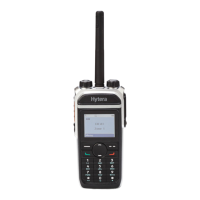
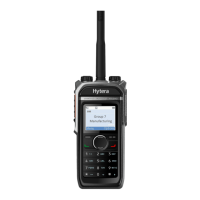
Hytera PD68XIUHF - User Manual

Hytera PD68XIUHF
49 pages
Print Icon
To Next Page IconTo Next Page
Loading...
DIGITAL PORTABLE RADIO
PD68X OWNER’S MANUAL

Questions and Answers

  • A
    Andrew WoodsSep 10, 2025
    How to fix Hytera PD68XIUHF if I can't communicate with group members?
    • B
      bakerthomasSep 10, 2025
      If you cannot communicate with other group members on your Hytera Portable Radio: * Verify that your TX/RX frequency and signaling type are correct because the frequency or signaling type may be inconsistent with that of other members. * Verify that you are on the correct digital or analog channel, as the channel type (digital or analog) may be set incorrectly. * Move towards other members, as you may be too far away from other members.
  • J
    Jason FoxAug 23, 2025
    Why is the voice weak on my Hytera Portable Radio?
    • A
      Andrew WolfeAug 23, 2025
      If the voice is weak, discontinuous, or totally inactive during receiving on your Hytera Portable Radio, consider these potential causes: the battery voltage might be low, so recharge or replace the battery. Alternatively, the volume level could be set too low; increase it using the Volume Control knob. Also, ensure the antenna is properly attached by reassembling it after turning off the radio.
  • T
    Travis NashAug 25, 2025
    How to fix communication issues with my Hytera PD68XIUHF Portable Radio?
    • U
      usmithAug 26, 2025
      If you cannot communicate with other members using your Hytera Portable Radio, consider these solutions: Ensure that your TX/RX frequency and signaling match those of the other members. Also, verify that all members are using the same channel type (digital or analog). Finally, make sure you are not too far away from the group members; try moving closer.
  • J
    Johnathan LeeAug 27, 2025
    Why is there so much noise on my Hytera Portable Radio?
    • T
      Thomas CoxAug 27, 2025
      Excessive noise on your Hytera Portable Radio could be due to several factors. You might be too far from other members, so try moving closer. Your location could be unfavorable, such as being blocked by buildings or underground, so move to an open area and restart the radio. Also, external electromagnetic interference could be the cause, so move away from potential sources of interference.
  • E
    Edward PetersAug 27, 2025
    What to do if I hear noise on Hytera PD68XIUHF Portable Radio channel?
    • K
      Kevin WilliamsAug 28, 2025
      If you are experiencing irrelevant communication or noise on your Hytera Portable Radio channel, it could be due to radios using the same frequency. Try changing the frequency or adjusting the squelch level. Another possibility is that the radio is set with no signaling. In this case, set signaling for all member radios to avoid interference at the same frequency, and ensure you change the signaling settings for all portable radios simultaneously.
  • D
    Dana KellyAug 29, 2025
    How to fix Hytera PD68XIUHF Portable Radio if it won't turn on?
    • J
      Jeffrey WhitakerAug 29, 2025
      If your Hytera Portable Radio won't turn on, the battery may be installed improperly. Remove and reattach the battery. Also, the battery power might have run out, so recharge or replace the battery. Finally, the battery contacts may be dirty or damaged. Clean the battery contacts or replace the battery.
  • M
    Melissa GillSep 18, 2025
    What to do if GPS cannot locate my position on Hytera Portable Radio?
    • L
      Lindsay CrawfordSep 18, 2025
      If the GPS cannot locate your position on your Hytera Portable Radio, the radio may not receive GPS signals due to unfavourable position. Move to an open and flat area, and try again.
  • R
    ramirezkaylaSep 12, 2025
    Why does my Hytera PD68XIUHF register repeatedly?
    • M
      Michael RamirezSep 12, 2025
      If your Hytera Portable Radio registers repeatedly, the signal may be intermittent. Make sure the radio is within the coverage of the BS.
  • J
    Jackie ParkerSep 8, 2025
    How to reduce noise and hiss on Hytera PD68XIUHF Portable Radio?
    • C
      Cameron RochaSep 8, 2025
      If you are unable to hear anyone because of too much noise and hiss on your Hytera Portable Radio: * Move towards other members, as you may be too far away from other members. * Move to an open and flat area, restart the radio, and try again, as you may be in an unfavourable position. For example, your communication may be blocked by high buildings or blocked in an underground area. * Stay away from equipment that may cause interference, as it may be the result of external disturbance (such as electromagnetic interference).
  • S
    Sandy RiggsSep 5, 2025
    Why is the voice unclear on my Hytera PD68XIUHF Portable Radio?
    • R
      Ronald TaylorSep 5, 2025
      If the voice is unclear on your Hytera Portable Radio, the signal may be weak. Make sure call participants are within the communication range.

Hytera PD68XIUHF Specifications

General IconGeneral
BrandHytera
ModelPD68XIUHF
CategoryPortable Radio
LanguageEnglish

Related product manuals