
EasyManua.ls Logo

Hytera PD70X - User Manual

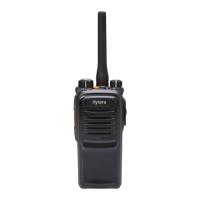
Hytera PD70X
27 pages
Print Icon
To Next Page IconTo Next Page
Loading...

Questions and Answers

  • P
    Paul MartinAug 10, 2025
    Why can't I communicate with other Hytera PD70X users?
    • C
      Carlos BanksAug 10, 2025
      You might not be able to communicate with other members because the frequency or signaling may be inconsistent. Ensure your TX/RX frequency and signaling match those of the other members. Also, the channel type (digital/analog) may be set inconsistently, so verify that all members are on the same digital or analog channel. Finally, you may be too far away from the group members; try moving closer to them.
  • K
    Kyle DoyleAug 15, 2025
    What to do if my Hytera PD70X Transceiver has irrelevant communication or noise on the channel?
    • J
      Joann JohnsonAug 15, 2025
      If you're hearing irrelevant communication or noise, it might be because of radios using the same frequency. Try changing the frequency or adjusting the squelch level. Alternatively, the radio may be set with no signaling. Set signaling for all member radios to avoid interference at the same frequency.
  • M
    Melanie CookAug 19, 2025
    How to fix loud noise on my Hytera PD70X Transceiver?
    • P
      pdouglasAug 19, 2025
      Excessive noise can occur if you are too far from other members; try moving closer. Unfavorable positions, like being blocked by high buildings or in underground areas, can also cause noise; move to an open, flat area and restart the radio. External disturbances, such as electromagnetic interference, can also be a factor; stay away from equipment that may cause interference.
  • J
    James McbrideAug 26, 2025
    What to do if my Hytera PD70X won't power on?
    • S
      stewartrichardAug 26, 2025
      If your radio won't power on, the battery may be improperly installed. Remove the battery and reattach it. The battery may also be out of power; recharge or replace it. Poor contact caused by dirtied or damaged battery contacts can also prevent the radio from powering on; clean the battery contacts.
  • S
    Sarah Medina DVMAug 30, 2025
    Why is the voice weak on my Hytera Transceiver?
    • C
      coreybeckAug 30, 2025
      If the voice is weak, discontinuous, or totally inactive during receiving signals, the battery strength might be too low; recharge or replace the battery. The volume may be set to a low level; increase the volume. The antenna may be loose or improperly installed; power off the radio and reinstall the antenna. The speaker may be blocked or damaged; clean the surface of the speaker.
  • D
    David HaasSep 4, 2025
    How to fix GPS if it cannot locate position on Hytera PD70X?
    • C
      Craig MurphySep 4, 2025
      If the GPS cannot locate your position, it may be due to no GPS signal being received. Move to an open and flat area, and restart the radio.

Hytera PD70X Specifications

General IconGeneral
Channel Capacity1024
Channel Spacing12.5/20/25 kHz
Storage Temperature-40°C to +85°C
IP RatingIP67
Audio Output0.5W
Frequency RangeUHF: 400-470 MHz; VHF: 136-174 MHz
Operating Voltage7.4V
BatteryLi-ion
Battery Capacity1500mAh or 2000mAh
Operating Temperature-30°C to +60°C
RF Power OutputUHF: 4W/1W; VHF: 5W/1W
Zone Capacity64 (Each zone with a maximum of 256 channels)
Battery Life (5-5-90 Duty Cycle)1500mAh battery: Approx. 11 hours in digital mode, Approx. 9 hours in analog mode; 2000mAh battery: Approx. 14 hours in digital mode, Approx. 11 hours in analog mode