EasyManua.ls Logo

Hytera PS22002 - User Manual

Hytera PS22002
11 pages
Print Icon
To Next Page IconTo Next Page
Loading...
PS22002
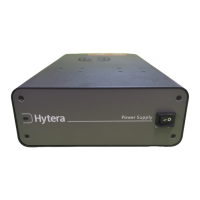
Power Supply
USER'S MANUAL

Questions and Answers

  • D
    Dalton VelazquezAug 5, 2025
    What to do if the red LED glows on my Hytera PS22002 Power Supply?
    • E
      Elizabeth MayAug 5, 2025
      If the red LED is glowing on your Hytera Power Supply, it could be due to several reasons: * In battery mode, the battery runs low, has a voltage less than 10.8V, or the voltage is above 10.8V while its capacity is small. In these cases, restore the mains supply or replace the battery. * The fuse of the AC power port may be blown, so replace the fuse. * There may be an overload or short circuit, so diagnose the failure and settle the trouble. * The battery might be damaged or its life has expired. Replace the battery. * The relay is locked. Restore the mains supply, connect the battery again, and if needed, replace the battery. * In battery mode, big current causes the battery voltage to fall below 10.8V. Replace the battery.
  • C
    caitlynperezAug 20, 2025
    How to troubleshoot Hytera Power Supply when the LED does not illuminate?
    • S
      Sara AguilarAug 20, 2025
      If the LED on your Hytera Power Supply isn't lighting up, here's what you can check: * Ensure the mains supply is working; if not, restore it. * Verify the AC power cord is properly connected. If not, connect the AC power cord correctly. * If in mains supply mode, the fuse of the AC power port might be damaged; replace the fuse (5A/250V 5X20mm). * If in battery mode, make sure the backup battery is correctly connected. If not, connect the backup battery correctly. * If in battery mode, the battery may not be working normally; replace the battery.

Summary

Preface

Introduction

Thank you for purchasing Hytera switching power supply. Read carefully before use.

Instructional Icons

Caution Icon

Indicates situations that could cause damage to your product.

Note Icon

Indicates tips that can help you make better use of your product.

Copyright and Disclaimer

Copyright Information

Hytera is the trademark or registered trademark of Hytera Communications Co., Ltd.

Disclaimer

Hytera endeavors to achieve the accuracy and completeness of this manual.

Safety Information

Package Contents and Product Overview

Checking Items in the Package

Please unpack carefully and check that all items listed below are received.

Product Overview

Overview of the front and rear panels of the product with labeled components.

Product Description and Operation

General Description

Advanced switching power supply with novel appearance, working with mains and backup battery.

Status Indication

The LED indicator helps you easily identify current power supply mode.

Operation Guide

Instructions for installing and connecting the repeater and AC power cord.

Battery Operation and Important Notes

Connecting the Battery

Connect the battery to the Battery Connector properly, ensuring correct polarity.

Important Instructions

Key points regarding battery usage, charging, and replacement.

Troubleshooting

Product Care, Cleaning, and Specifications

Product Care

Tips for using the product within specified temperature and environmental conditions.

Product Cleaning

Instructions on how to clean the product safely and effectively.

Specifications

Technical details and parameters of the power supply including input, output, and battery specs.

Optional Accessories

Hytera PS22002 Specifications

General IconGeneral
BrandHytera
ModelPS22002
CategoryPower Supply
LanguageEnglish