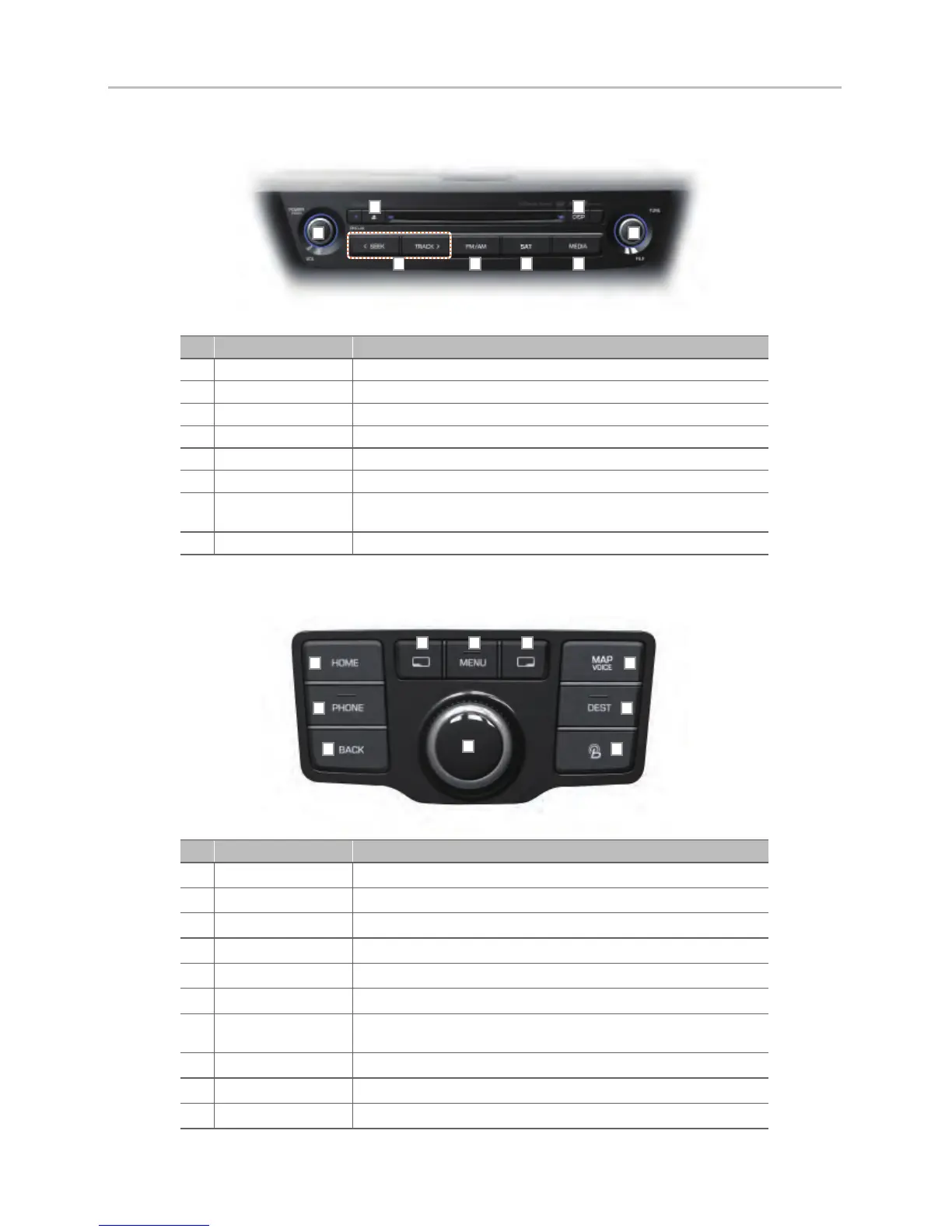
1. Component Names and Functions
4
1-1. Head Unit
No Name Details
DISC OUT DISC eject ke
y
DISP Tur
ns off the screen or display the default image
POWER/VOL Tur
ns device power ON/OFF and control the volume
SEEK/TRACK Changes to the previous/ne
xt channel, track, fi le or chapter
FM/AM Press to change mode in order of FM1
→
FM2
→
AM
SAT Press to change mode in order of XM1
→
XM2
→
XM3
MEDIA
Press to operate mode in order of DISC
→
J
ukebox
→
USB/iPod
→
AUX
→
Bluetooth Audio
TUNE/FILE Searches frequencies / trac
ks / channels / fi les
1-2. Front Central Controller
No Name Details
Left Soft Key Synchronized with the button shown on the bottom left side of the screen
MENU Displays the MENU popup screen
Right Soft K
ey Synchronized with the b
utton shown on the bottom right side of the screen
HOME Displays the HOME screen
PHONE Displays the Bluetooth Hands-free screen
BA
CK Displays the pre
vious screen
Controller
Operates all desired functions b
y turning, 8-directional pushing and pressing
the controller
MAP
VOICE
Displays the current location in the map
DEST Displays the Destination setup men
u
Blue Link Displays the Blue Link screen
H_VI_고급1.0[USA_N] QRG.indd 4급1.0[USA_N] QRG.indd 4 2015-04-07 오전 9:39:332015-04-07












 To Next Page