5
1-3. Using the Soft Keys
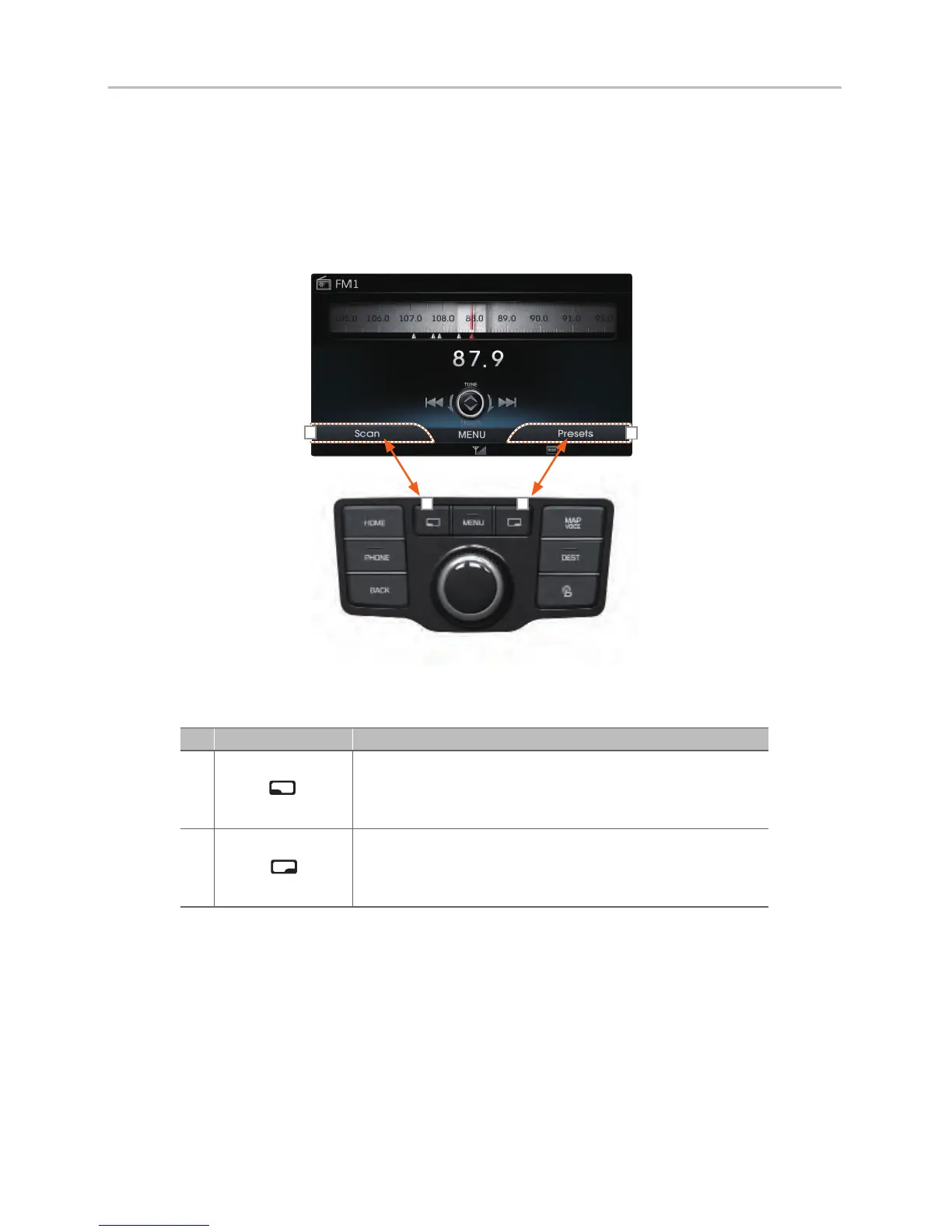
The screen soft keys are set with features most frequently used within the
current screen.
No Name Description
If the left soft key is pressed, the function displayed on the bottom left side of
the current screen is operated. For example, pressing the left soft key within
the Radio Screen will operate the Scan feature
If the right soft key is pressed, the function displayed on the bottom right side
of the current screen is operated. For example, pressing the right soft key
within the Radio Screen will display the Presets screen
H_VI_고급1.0[USA_N] QRG.indd 5급1.0[USA_N] QRG.indd 5 2015-04-07 오전 9:39:332015-04-07














 To Next Page