Need help?
Do you have a question about the Hyundai FD-01 and is the answer not in the manual?
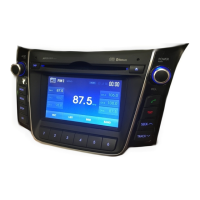
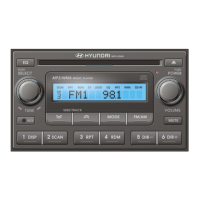
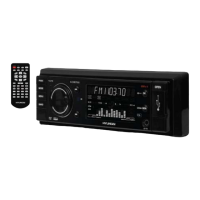
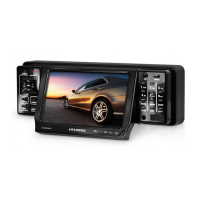
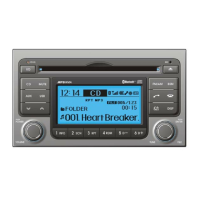
Details the various buttons and controls on the front panel of the car radio for user interaction.
Procedure for entering the security code to enable the HYUNDAI Bluetooth radio's anti-theft feature.
Provides important notes and considerations for using Bluetooth features with the car radio.
Step-by-step guide on how to pair your Bluetooth mobile phone or music player with the car radio.
Instructions for setting your Bluetooth device to discoverable mode for pairing with the car radio.
Procedure to disconnect a paired Bluetooth mobile phone or music player from the car radio.
Guide on how to select and connect a previously paired Bluetooth device from the radio's memory.
Instructions on how to remove a paired Bluetooth device from the car radio's memory.
Details on making and receiving phone calls using the car radio's hands-free Bluetooth system.
How to redial the last called phone number using the Bluetooth connection.
Procedure to switch between hands-free and private call modes during an active Bluetooth call.
Configuring the radio to automatically answer incoming calls via Bluetooth.
Adjusting the volume level for incoming calls and voice prompts through the car speakers.
Adjusting the volume level for incoming call ringtones through the car speakers.
Instructions for playing music from a connected Bluetooth device through the car's audio system.
How to control Bluetooth audio playback using the vehicle's steering wheel remote controls.
Guide for connecting both a Bluetooth mobile phone and a music player to the car radio at the same time.
Steps to transfer phonebook contacts from a mobile phone to the car radio via Bluetooth.
Procedure to save the last incoming call's phone number into the phonebook.
Instructions for manually creating and storing new name and number entries in the phonebook.
How to view and navigate through the stored phonebook contacts on the car radio.
Methods for deleting individual entries or the entire phonebook from the car radio memory.
Guide on how to modify existing name and number entries in the car radio's phonebook.
Adjusting power, volume levels, and setting the clock time on the car radio.
Configuring audio equalizer settings and beep sound notifications for various radio functions.
Adjusting loudness, understanding the warning LED, and selecting equalizer presets.
Operating hook buttons, display settings, and mute function for the car radio.
Operate volume, tuning, mode selection, and mute via steering wheel buttons.
Guide to tuning radio stations, selecting bands, using presets, and Best Station Memory.
Instructions for using the CD player, including disc insertion, track selection, and playback functions.
Details on advanced CD player functions like random play, track browsing, and information display.
Steps to connect a USB device and play MP3/WMA music files through the car audio system.
Information on charging USB devices connected to the car's USB socket.
Guide to connecting and controlling an iPod for music playback using the car's system.
How to search for songs and categories within an iPod connected to the car audio system.
Step-by-step instructions for updating the car radio's firmware using a USB storage device.
 General
| Brand | Hyundai |
|---|---|
| Model | FD-01 |
| Category | Car Receiver |
| Language | English |

 To Next Page