EasyManua.ls Logo

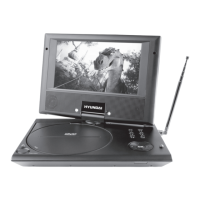
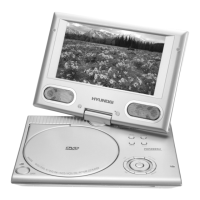
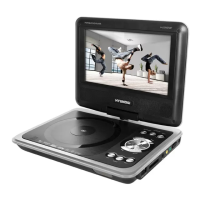
Hyundai H-LCDVD725T - User Manual

Hyundai H-LCDVD725T
33 pages
Print Icon
To Next Page IconTo Next Page
Loading...
ПОРТАТИВНЫЙ DVD-
ПРОИГРЫВАТЕЛЬ С 7” LED-
ДИСПЛЕЕМ И ТВ-ТЮНЕРОМ
PORTABLE DVD PLAYER WITH
7” LED DISPLAY AND TV TUNER
Руководство по эксплуатации Instruction manual
H-LCDVD725T

Table of Contents

Questions and Answers

  • H
    hnorrisAug 8, 2025
    What to do if my Hyundai H-LCDVD725T Portable DVD Player remote control does not operate?
    • O
      othomasAug 8, 2025
      If the remote control for your Hyundai Portable DVD Player isn't working, there might be a few reasons: 1. Ensure the remote control is correctly pointed at the unit, following the instructions in the manual. 2. Try decreasing the distance and angle between the remote and the unit. 3. Replace both batteries, as they may be depleted.
  • S
    sbauerAug 14, 2025
    Why is there no sound from my Hyundai H-LCDVD725T?
    • A
      Alexis Castillo DDSAug 14, 2025
      If you're not getting any sound from your Hyundai Portable DVD Player, consider the following: * Check the audio cable connection to ensure it's properly connected. * The disc may be dirty or damaged; try cleaning it. * The MUTE function might be enabled; disable it.
  • J
    Jessica HartmanAug 18, 2025
    What to do if my Hyundai Portable DVD Player disc cannot be read?
    • D
      david04Aug 18, 2025
      If your Hyundai Portable DVD Player is unable to read discs, consider these possibilities: * Make sure a disc has been inserted. * Ensure the disc is inserted correctly, with the label side facing up. * There might be condensation on the unit's laser head; try switching the unit on without a disc for about an hour.
  • L
    lisarivasAug 23, 2025
    Why is there no image on my Hyundai H-LCDVD725T?
    • L
      Larry GordonAug 23, 2025
      If your Hyundai Portable DVD Player isn't displaying an image, it could be due to: * A poor video cable connection; ensure it's properly connected. * Incorrect settings on your TV set; correct these settings.
  • R
    Ricardo AndersonAug 28, 2025
    What to do if some functions do not work on my Hyundai Portable DVD Player?
    • P
      Paula DavisAug 28, 2025
      If some functions aren't working on your Hyundai Portable DVD Player, consider the following: * If the disc is recorded incorrectly, wait 5-10 seconds for the unit to automatically return to normal. * If you entered an incorrect key sequence, repeat the operation. * If there's static voltage on the unit housing, switch the unit off for 1-2 minutes and then switch it back on.
  • M
    Michael JimenezSep 2, 2025
    Why is the image unstable on my Hyundai H-LCDVD725T Portable DVD Player?
    • H
      Holly TorresSep 2, 2025
      If you're experiencing an unstable image on your Hyundai Portable DVD Player, it might be due to incorrect TV settings. Correct the TV settings.

Hyundai H-LCDVD725T Specifications

General IconGeneral
Screen Size7 inches
ConnectivityAV output
Resolution480 x 234 pixels
Aspect Ratio16:9
Battery LifeUp to 2.5 hours
Headphone JackYes
Region CodeRegion Free
Playable Media FormatsDVD, CD, MP3, JPEG
Power SourceAC adapter, Rechargeable battery

Related product manuals