EasyManua.ls Logo

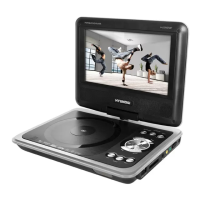
Hyundai pdpd 756 dvbt - User Manual

Hyundai pdpd 756 dvbt
40 pages
Go to English
Print Icon
To Next Page IconTo Next Page
Loading...
pdpd 756 dvbt







Questions and Answers

  • A
    Anthony MarshAug 8, 2025
    Why my Hyundai Portable DVD Player does not work?
    • E
      elizabeth85Aug 8, 2025
      Your Hyundai Portable DVD Player might not be working due to several reasons: the disc cover might not be closed (close it); no disc inserted (insert a disc); the disc inserted the wrong way (insert with the label facing up); the disc is dirty or deformed (clean the disc, or insert another disc); the regional code of the player does not match the regional code of the DVD (purchase a DVD with the corresponding regional code); or there is moisture on the lens (remove the disc and turn off the DVD player for at least two hours).
  • S
    Stephen GonzalezAug 13, 2025
    What to do if the Hyundai Portable DVD Player remote control does not work?
    • D
      Douglas KellyAug 13, 2025
      If the remote control for your Hyundai Portable DVD Player isn't working, it could be due to a few reasons. There might be an obstacle between the remote and the DVD player (remove it). The remote might not be pointed directly at the DVD player (point it directly). The battery could be inserted incorrectly (check the battery's polarity and correct if necessary), or the battery may be too low or completely discharged (insert a new battery).
  • P
    Patty BurtonAug 18, 2025
    How to fix no audio on Hyundai Portable DVD Player?
    • G
      gabriel79Aug 18, 2025
      If you're not getting any audio from your Hyundai Portable DVD Player, here are a few things to check: ensure the device is properly connected; if headphones are connected, pull them out; verify the DVD sound settings are correct; or the disc could be dirty or deformed, so try cleaning it or using another disc.
  • O
    oriveraAug 25, 2025
    What to do if there is no video on Hyundai Portable DVD Player?
    • X
      xsmithAug 25, 2025
      If you're not getting any video on your Hyundai Portable DVD Player, make sure the TV screen is on and in the correct video mode. Also, check that the device is properly connected.
  • D
    Dr. Tricia KramerAug 28, 2025
    Why is the video and/or audio quality poor on my Hyundai Portable DVD Player?
    • B
      Brandon GarnerAug 28, 2025
      If you're experiencing poor video or audio quality on your Hyundai Portable DVD Player, the disc may be dirty or deformed. Try cleaning the disc, or insert another disc.
  • H
    hollowaychristopherSep 2, 2025
    How to stop repeated playback on Hyundai Portable DVD Player?
    • A
      Alisha SmithSep 3, 2025
      If your Hyundai Portable DVD Player is repeatedly playing a section, the loop mode may be switched on (exit the loop mode). Alternatively, the disc may be dirty or deformed (clean the disc, or insert another disc).

Summary

Important Safety Instructions

Device Features and Connections

Main Panel Illustration

Detailed illustration of the player's main control panel with labeled components.

Monitor Panel Illustration

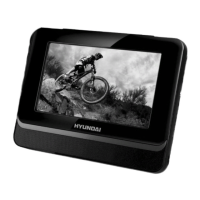
Detailed illustration of the secondary screen panel with labeled components.

Remote Control Operation

Remote Control Layout

Diagram showing the layout of the remote control buttons and their functions.

Connecting to External Devices

Troubleshooting Guide

DVD Player Not Working

Solutions for common issues such as disc errors or no playback.

Audio and Video Issues

Troubleshooting steps for no audio, no video, or poor quality playback.

DVB-T Functionality

First Time Installation

Guide for initial setup, including language, area, and channel scanning.

Hyundai pdpd 756 dvbt Specifications

General IconGeneral
BrandHyundai
Modelpdpd 756 dvbt
CategoryPortable DVD Player
LanguageEnglish

Related product manuals