
 Need help?
Do you have a question about the Hyundai H-LED24V5 and is the answer not in the manual?
Information on proper disposal methods for electronic products according to legislation.
Crucial safety precautions to follow before connecting and operating the TV to prevent hazards.
Instructions on connecting various external devices like video sources, audio, antenna, and PCs to the TV.
Guidance on setting up the TV, including base installation and wall mounting procedures.
Identification and description of buttons on the front panel and back panel of the TV.
Overview of the remote control buttons and their functions for operating the TV.
Step-by-step guide on how to replace the batteries in the remote control.
Basic functions and operations of the TV, including power, volume, sleep timer, and channel selection.
How to select and switch between different input sources (TV, AV, HDMI, PC, USB) for content display.
Instructions on navigating and adjusting settings using the On-Screen Display (OSD) menu.
Details on adjusting picture parameters like contrast, brightness, hue, and sharpness for optimal viewing.
Information on adjusting audio settings such as bass, treble, balance, and sound modes.
How to adjust the position, duration, and halftone of the On-Screen Display (OSD) menu.
Explanation of advanced settings like sleep timer, dynamic contrast control, and resetting to factory defaults.
Configuration options for TV settings, including color system, sound system, auto scan, and channel management.
Guide on using the USB port for media playback, including file preview and supported formats.
Steps for playing media files (images, audio) from a connected USB device.
Common problems, their causes, and solutions to help resolve TV issues.
Explanation of various sources of interference that can affect TV picture quality.
List of items included with the LCD TV package.
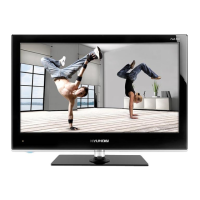
Technical details and features of the HYUNDAI H-LED24V5 TV.
 General
| Screen Size | 24 inches |
|---|---|
| Resolution | 1366 x 768 |
| Display Technology | LED |
| HDMI Ports | 2 |
| USB Ports | 1 |
| Aspect Ratio | 16:9 |
| Refresh Rate | 60 Hz |
| Power Consumption | 36W |

 To Next Page