INFOTAINMENT
Quick Reference Guide I 2019 I Quick Reference Guide
KONA
HYUNDAI
Making a call using voice recognition:
The menu tree identies available voice recognition Bluetooth
®
functions.
Calling by Name:
1. Press the button.
2. Say the following command:
• “Call <John>”: Connects the call to John.
• “ Call <John> <on Mobile / at Work / at Home > : Connects the call
to John’s Mobile, Home, or at Work phone number.
Dialing by Number:
1. Press the button.
2. Say “Dial Number”.
3. Say the desired phone number.
For the complete list of commands, please refer to your Owner’s Manual.
VOICE RECOGNITION
Your vehicle may be equipped with a Voice Recognition technology
which allows drivers to operate their phones without having to take
their eyes off of the road to minimize distractions.
Voice recognition performance may be affected if driving with
windows and sunroof open; when the heating-cooling system is on;
when passing in a tunnel or when driving on rugged and uneven roads.
Quick reference on using voice commands:
To start a voice command, press the button, the following commands are
available:
Command Function
More Help
Provides guidance on commands that can be used anywhere in the system.
Help
Provides guidance on commands that can be used within the current mode.
Calls <Name>
Calls <Name> saved in Contacts. Ex) Call “John”
Dial <Number>
Call can be made by dialing the spoken numbers. Ex) Call “123”
Phone
Provides guidance on Phone related commands. After saying this command,
say “Call History”, “Contacts” to execute the corresponding functions.
Contacts
(Call by Name)
Displays the Contacts screen. After saying this command, say the name
of a contact saved in the Contacts to automatically connect a call.
Dial Number Displays the Dial number screen. After saying this command, you can
say the number which you want to call.
Navigation
Find address in
<state> < house #,
Street name, City>.
Example: “1-0-5-5-0 Talbert Avenue, Fountain Valley
Find <POI Name> Find Starbucks
Voice Recognition Tips
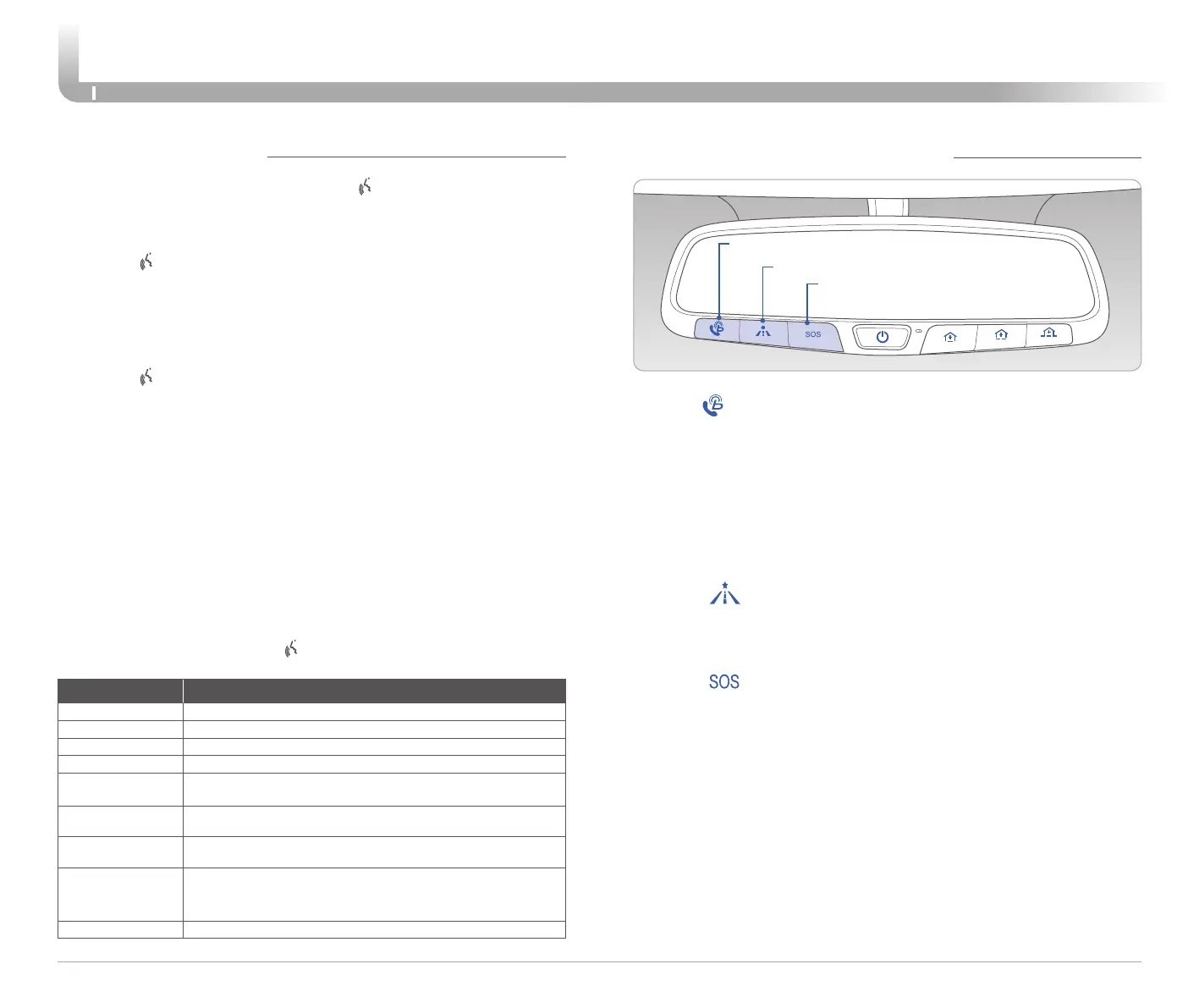
BLUE LINK TELEMATICS SYSTEM
• SOS
• Navigation
• Blue Link
Press the button for access to the voice-response menu of services.
- Press the button for Destination Search.
- Command: Find <POI Name>.
Example: “Find Starbucks”.
- Press the
button for SOS Emergency Assistance.
- Refer to your Blue Link User’s Manual for detailed information on system
operation.
- For immediate assistance with subscription services, please call
1-855-2BLUELINK (1-855-225-8354).
You can say:
- "Service Link" to schedule a service appointment.
- "Roadside Assistance" for roadside services.
- "Blue Link Account Services" for help with your Blue Link subscription.















 To Next Page