INFOTAINMENT
Quick Reference Guide I 3029 I Quick Reference Guide
KONA
HYUNDAI
CAR SETUP
1. Press the SETUP button.
2. Touch the “Phone Projection” icon on the screen.
3. Touch “iOS” on the Phone Projection Settings screen then touch
“On” to enable Apple CarPlay.
4. Connect your Apple iPhone to the vehicle USB port then touch
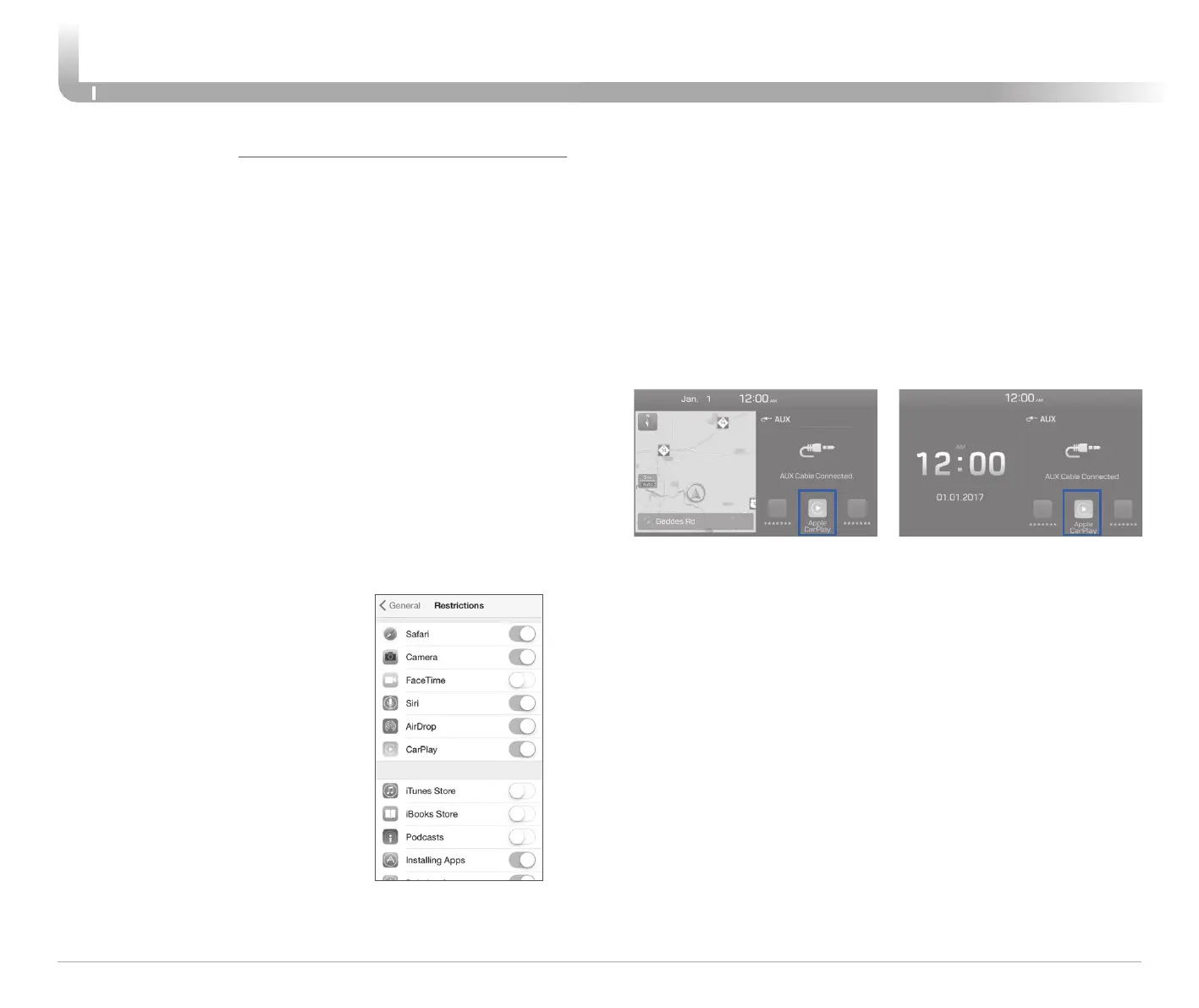
‘OK’ when the pop-up message appears. The Apple CarPlay icon
will now appear on the vehicle Home screen confirming the setup.
Apple CarPlay, Apple, and other marks are trademarks of Apple Inc.
REQUIREMENTS
- Apple Lightning
®
cable
- Latest iOS
- iPhone
®
5 or above
- Data and wireless plan for applicable features
BEFORE YOU BEGIN
- Apple
®
CarPlay features may operate differently than on your phone.
- Message and data charges may apply when using Apple CarPlay.
- Apple CarPlay relies on the performance of your phone. If you
experience performance issues:
- Close all apps and then restart them or
- Disconnect and then reconnect your phone
- Using the Apple Lightning cable that was provided with your phone
is recommended.
- When Apple CarPlay is active, your voice recognition system is
disabled and you will be using Siri
®
to make your requests.
APPLE CARPLAY ™
PHONE SETUP
On your phone, go to Settings >
General > Restrictions > CarPlay to
allow CarPlay access.
On your phone, go to Settings >
General > Siri and ensure Siri is
turned ON.













 To Next Page