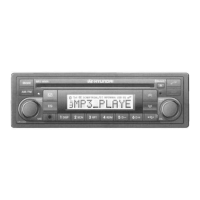
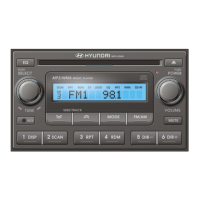
Need help?
Do you have a question about the Hyundai MP3-05TU and is the answer not in the manual?
Explains how to pair a mobile phone or music player with the Hyundai Bluetooth radio.
Details the steps required to disconnect a paired Bluetooth device from the system.
Provides instructions on how to select a previously paired Bluetooth device for connection.
Guides the user on how to remove a previously paired Bluetooth device from the system.
Covers making, receiving calls, redialing, and switching modes during calls.
Details how to store, browse, and call entries from the phonebook.
Explains how to transfer phonebook entries from a mobile phone to the car radio.
Describes the procedure for saving the last received call number into the phonebook.
Provides instructions for editing existing names and phone numbers in the phonebook.
Details how to delete individual entries or the entire phonebook contents.
Explains how to play music tracks wirelessly from a Bluetooth device using A2DP and AVRCP profiles.
Covers simultaneous connection of a mobile phone and music player for calls and music playback.
Details how to configure the radio to automatically answer incoming calls.
Explains how to adjust the volume level for incoming calls heard through the car speakers.
Describes how to adjust the volume level for incoming call ringtones.
Covers the power button, volume adjustment, and setting the initial start-up volume.
Introduces the sound setting selection menu for audio adjustments.
Details audio adjustments for treble, speaker balance, fader, beep sounds, and loudness.
Explains the function of the warning LED that blinks when the car ignition is off.
Explains how to cycle through different modes like RADIO, CD, USB, AUX, and BT AUDIO.
Details how to select different equalizer curves for music playback.
Provides step-by-step instructions for entering the anti-theft security PIN code to activate the stereo.
Explains how to manually tune radio stations and use seek tuning for automatic station selection.
Details how to recall and store radio stations into memory presets.
Guides on navigating and selecting MP3/WMA directories and files on a disc or USB.
Explains the function of track down/review and track up/cue buttons for disc playback.
Describes how to change displayed information for MP3/WMA files, including ID3 tag details.
Explains the track scan function and how to set repeat play mode for disc playback.
Details random play mode and how to navigate up/down through directories on MP3 discs.
Explains how to eject a disc and the procedure for inserting a disc into the player.
Guides on connecting a USB device and playing music files from it.
Explains how to connect portable media players via the AUX input and adjust settings.
Provides instructions for updating the radio's system firmware using a USB storage device.
Details the process of upgrading the Bluetooth section firmware for improved performance.
Offers advice on cleaning, handling, and storing compact discs to ensure proper playback.
Lists common error codes displayed on the LCD and their descriptions for troubleshooting.
Outlines the product guarantee, coverage limitations, and procedures for warranty service.
Explains MP3 and WMA audio formats, their characteristics, and compatibility with the unit.
Details FCC compliance, potential radio interference, and measures to correct it.
Provides precautions regarding moisture formation and its effect on player operation.
Lists the detailed technical specifications for the car audio system, including power, tuning, and Bluetooth profiles.
 General
| Brand | Hyundai |
|---|---|
| Model | MP3-05TU |
| Category | Car Receiver |
| Tuner Bands | AM/FM |
| USB Port | Yes |
| AUX Input | Yes |
| Supported Audio Formats | MP3, WMA |
| Display Type | LCD |
| Output Power | 4 x 45W |
| Detachable Faceplate | Yes |
| Radio Tuner | Yes |
| Supported Media | USB, AUX |


 To Next Page