EasyManua.ls Logo

i-team i-mop XL Plus - User Manual

i-team i-mop XL Plus
35 pages
Print Icon
To Next Page IconTo Next Page
Loading...
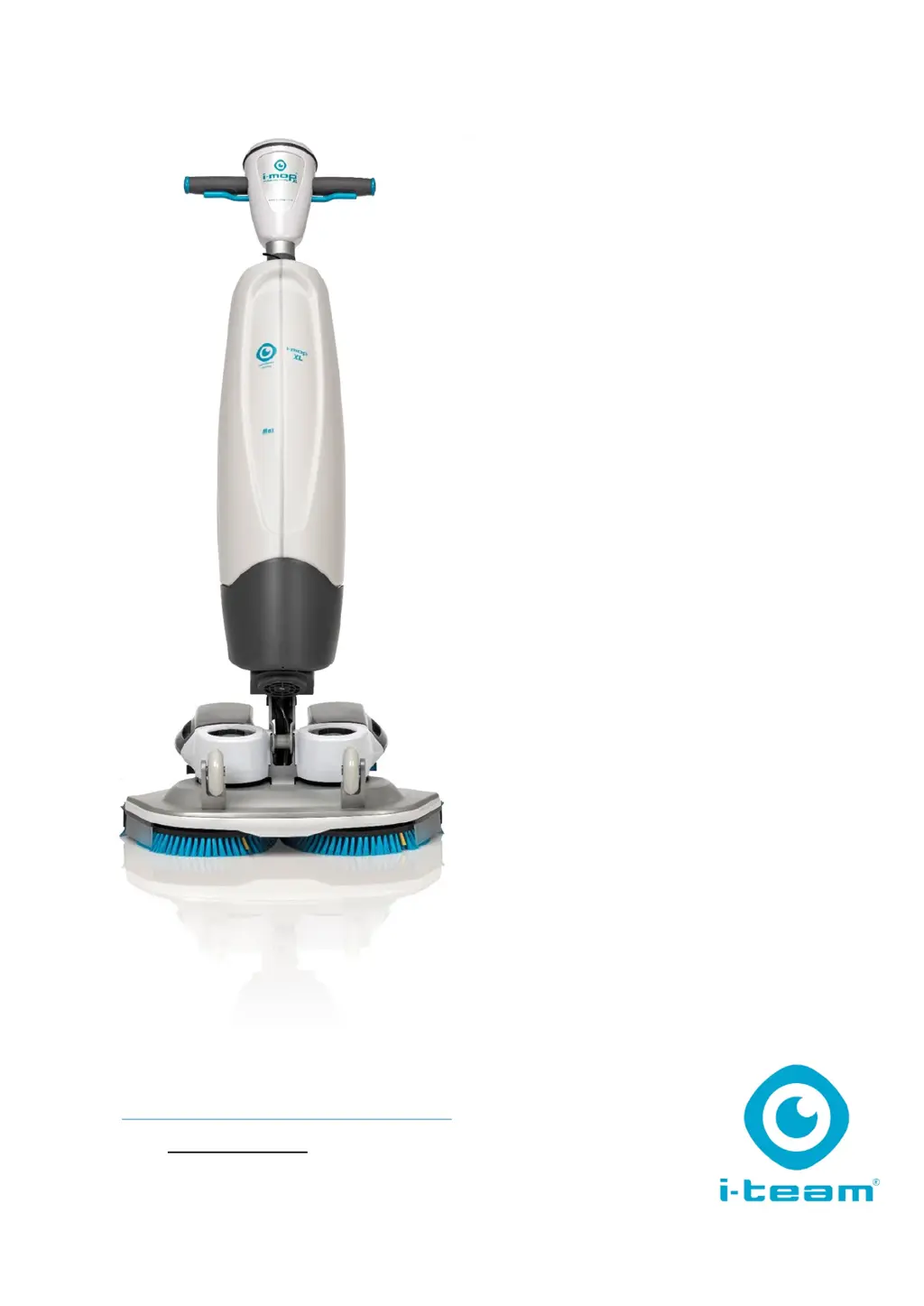
i-mop
XL Plus
Auto scrubber for hard floor surfaces
User manual
i-team Professional b.v.
Hoppenkuil 27b, 5626 DD Eindhoven, The Netherlands
Telephone: +31402662400
Email: hello@i-teamglobal.com
Internet: www.i-teamglobal.com

Table of Contents

Questions and Answers

  • L
    Lori Gonzalez MDAug 4, 2025
    What to do if i-team i-mop XL Plus has poor water recovery?
    • B
      Barry McdowellAug 5, 2025
      If your i-team Scrubber isn't recovering water effectively, start by removing the pipe and cleaning the squeegee opening. Also, inspect the squeegee blades for tears and replace them if necessary. Check the yellow filter and clean it if needed. Ensure the vacuum hose isn't blocked and remove any obstructions. If the vacuum pump isn't running, it's recommended to request a service.
  • S
    Sean Juarez Jr.Aug 12, 2025
    How to troubleshoot no power issue in i-team Scrubber?
    • S
      singletonkendraAug 12, 2025
      If your i-team Scrubber has no power, first ensure that batteries are inserted. If batteries are inserted, make sure they are charged, and charge them if necessary. If the issue persists, remove and reinstall the batteries to ensure they are correctly placed.
  • D
    donna28Aug 19, 2025
    What to do if i-team i-mop XL Plus Scrubber has insufficient water?
    • S
      Sabrina YoungAug 19, 2025
      If your i-team Scrubber isn't dispensing enough water, verify that you're using the correct program on the control panel. Ensure that the ECO mode is not activated by checking the ECO mode light on the control panel. Make sure the tank is filled. Ensure the tank valve is clicked on the nipple to open the seal, replace the tank if it's incorrectly placed. Also, check that the solution tank is free of dirt particles and the filter is clean. If the water pipe is blocked, request a service.
  • C
    christopher13Aug 27, 2025
    Why is my i-team i-mop XL Plus Scrubber leaking?
    • M
      Misty RobertsonAug 27, 2025
      If your i-team Scrubber is leaking, check and reattach the fluid tanks to ensure they are correctly placed. Also, inspect the vacuum hose for any tears; if found, replace the vacuum hose or request a service.

Summary

Product Introduction

1.1 Intended Use

Describes the i-mop XL Plus as a specialized machine for scrubbing hard floors using water-based detergents.

Product Information

1.2 Prohibited Uses and Warnings

Details warnings and prohibited uses that can cause safety hazards and void the warranty.

1.5 Technical Specifications

Safety Precautions

3.1 General Safety Guidelines

Covers basic safety practices like sweeping before scrubbing, checking brush condition, machine orientation, magnets, and battery handling.

Operational Risks

3.2 Operational Risks

Addresses risks related to dress code, marking the job site, and safe parking procedures.

3.3 Post-Operation Risks

Details safety measures after use, including battery removal and machine orientation.

Transport and Storage

4.4 Vehicle Transport

Details the preferred method for transporting the machine in a vehicle, emphasizing upright position and securing it.

Assembly and Installation

Machine Operation

6.1 Pre-Operation Checks

Includes checking brushes/squeegee, inserting batteries (6.1.1), and filling the cleaning solution tank (6.1.2).

6.2 Operation Procedure

Covers moving to site (6.2.1), positioning (6.2.2), modes, steering (page 24), ECO mode (6.2.3), indicators (6.2.4), shutdown (6.2.5), and emptying (6.2.6).

Cleaning and Storage

Machine Maintenance

7.1 Brush Replacement Procedure

Step-by-step instructions for removing and replacing the brushes on the i-mop XL Plus.

7.2 Squeegee Replacement

Covers detaching the squeegee (7.2.1) and replacing the blades (7.2.2).

7.2.3 Attaching the Squeegee

Steps for correctly attaching the squeegee assembly back onto the machine.

Troubleshooting Guide

Disposal and Decommissioning

i-team i-mop XL Plus Specifications

General IconGeneral
Brandi-team
Modeli-mop XL Plus
CategoryScrubber
LanguageEnglish

Related product manuals