16
EN
Quick Start / C31SMARTDOCKPD/ English
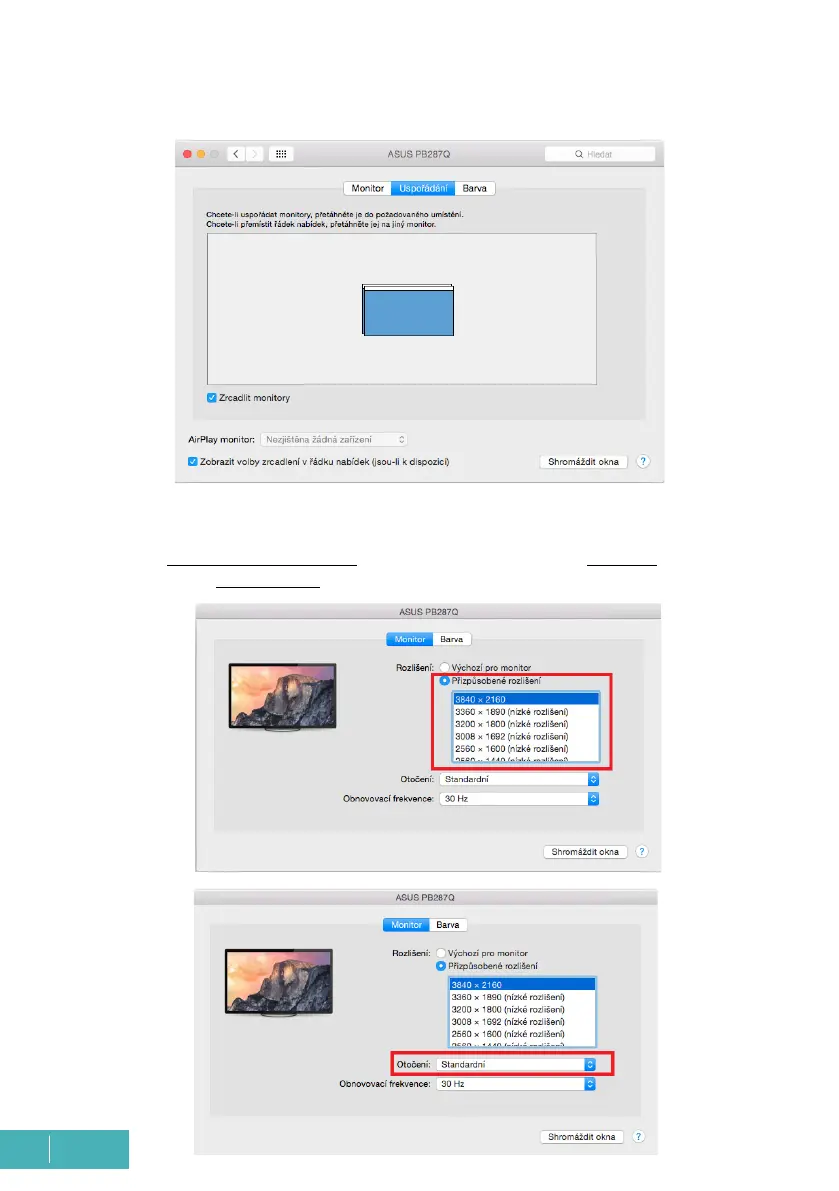
Mirror mode: can only be used if it is offered by Mac.
Click on Gather Windows: this option allows you to choose the settings of the correspond-
ing monitor - Customized Resolution (offers usable resolutions), Rotation (Standard, 90°,
180° and 270°) and Refresh Rate (if offered).



 To Next Page