EasyManua.ls Logo

i-tec C31SMARTDOCKPD - User Manual

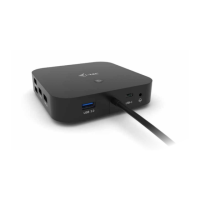
i-tec C31SMARTDOCKPD
140 pages
Print Icon
To Next Page IconTo Next Page
Loading...
USB-C Smart Docking Station
Triple Display
+ Power Delivery 65W
P/N: C31SMARTDOCKPD
User guide • Gebrauchsanweisung • Mode d’emplo
Manual de instrucciones • Manuale • Uživatelská příručka
Instrukcje obsługi • Užívateľská príručka
Vartotojo vadovas • Handleiding

Other manuals for i-tec C31SMARTDOCKPD

Question and Answer IconNeed help?

Do you have a question about the i-tec C31SMARTDOCKPD and is the answer not in the manual?

Summary

Product Specifications

Docking Station Description

Front Panel Overview

Details of the front panel ports and indicators.

Back Panel Overview

Details of the back panel ports and connectors.

System Requirements

Hardware and Power Delivery Requirements

Specifies necessary hardware and power delivery capabilities.

Video Output Requirements

Details requirements for video output via USB-C or Thunderbolt.

HDMI and DisplayPort Monitor Connection

Single Monitor Connection

Connecting one monitor and its resolution capabilities.

Dual Monitor Connection

Connecting two monitors and their resolution capabilities.

Triple Monitor Connection

Connecting three monitors and their resolution capabilities.

LAN Network Connection

USB Device Connection

Charging and Power Supply

Using the Docking Station in Windows OS

Windows Display Resolution Configuration

Configuring display resolution and monitor arrangement in Windows.

Windows Display Modes (Mirror;Extend)

Configuring display modes like Mirror and Extend in Windows.

Windows Sound Settings

Setting audio output devices in Windows Control Panel.

Using the Dock in Mac OS

Mac OS Monitor Setup

Initial monitor connection and setup in macOS System Preferences.

Mac OS Display Modes (Mirror;Extend)

Configuring Mirror and Extend display modes on macOS.

Mac OS Main Monitor Selection

Selecting the main monitor by dragging the Menu Bar in macOS.

Mac OS Monitor Settings (Resolution, Rotation, Refresh Rate)

Configuring resolution, rotation, and refresh rate for monitors in macOS.

USB 3.0 Device Connectivity

Charging USB Mobile Devices

Audio Setup

Safety Instructions

General Safety Precautions

Guidelines on temperature, placement, and manual retention.

Service Department Cooperation

Procedures for checking functionality after damage or malfunction.

Frequently Asked Questions

Manufacturer Information

Product Identification

Product Determination and Intended Use

EMC Compliance Standards

Electrical Safety Standards

RoHS Compliance

Identification Mark

FCC Compliance Statement

Summary

Product Specifications

Docking Station Description

Front Panel Overview

Details of the front panel ports and indicators.

Back Panel Overview

Details of the back panel ports and connectors.

System Requirements

Hardware and Power Delivery Requirements

Specifies necessary hardware and power delivery capabilities.

Video Output Requirements

Details requirements for video output via USB-C or Thunderbolt.

HDMI and DisplayPort Monitor Connection

Single Monitor Connection

Connecting one monitor and its resolution capabilities.

Dual Monitor Connection

Connecting two monitors and their resolution capabilities.

Triple Monitor Connection

Connecting three monitors and their resolution capabilities.

LAN Network Connection

USB Device Connection

Charging and Power Supply

Using the Docking Station in Windows OS

Windows Display Resolution Configuration

Configuring display resolution and monitor arrangement in Windows.

Windows Display Modes (Mirror;Extend)

Configuring display modes like Mirror and Extend in Windows.

Windows Sound Settings

Setting audio output devices in Windows Control Panel.

Using the Dock in Mac OS

Mac OS Monitor Setup

Initial monitor connection and setup in macOS System Preferences.

Mac OS Display Modes (Mirror;Extend)

Configuring Mirror and Extend display modes on macOS.

Mac OS Main Monitor Selection

Selecting the main monitor by dragging the Menu Bar in macOS.

Mac OS Monitor Settings (Resolution, Rotation, Refresh Rate)

Configuring resolution, rotation, and refresh rate for monitors in macOS.

USB 3.0 Device Connectivity

Charging USB Mobile Devices

Audio Setup

Safety Instructions

General Safety Precautions

Guidelines on temperature, placement, and manual retention.

Service Department Cooperation

Procedures for checking functionality after damage or malfunction.

Frequently Asked Questions

Manufacturer Information

Product Identification

Product Determination and Intended Use

EMC Compliance Standards

Electrical Safety Standards

RoHS Compliance

Identification Mark

FCC Compliance Statement

i-tec C31SMARTDOCKPD Specifications

General IconGeneral
Product TypeDocking Station
ModelC31SMARTDOCKPD
Host InterfaceUSB-C
Video Ports1x HDMI, 1x DisplayPort
Ethernet1x Gigabit Ethernet
Card ReaderSD / microSD
Audio3.5mm Jack
Power DeliveryYes
Supported ResolutionsUp to 4K
Operating System CompatibilityWindows, macOS
USB Ports3x USB 3.0, 1x USB-C

Related product manuals