I.A.C.E.R. Srl 14 MNPG262-02
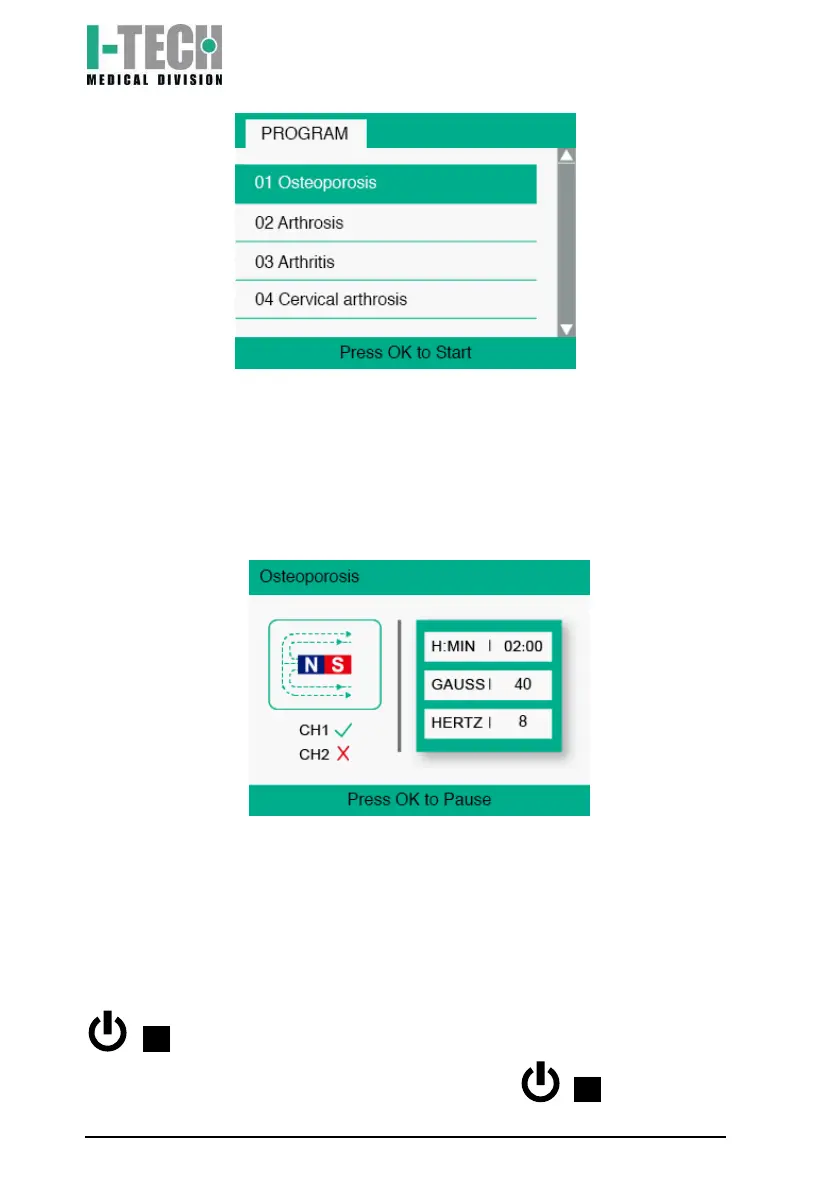
6. Press OK. The display will show the basic setting time of the
therapy (2 hours) and magnetic field intensity. These are the
average values suggested by IACER to immediately start the
treatment effectively.
7. Press the OK button. The device will start the treatment, displaying
the magnet icon with the magnetic field flux. The green light below
the display notifies the therapy is underway.
8. At the end of the therapy, the device will automatically return to the
program menu screen.
Note: it is possible to temporarily suspend therapy at any time by
pressing the OK button. To resume therapy, press the OK button again.
During the pause phase the green LED goes off, and then comes back
on when the therapy is restarted.
Note: it is possible to exit the treatment at any time by pressing the
/ button once: the device will go back to the screen of the
selected programme (point 6). By pressing the / button again


 To Next Page