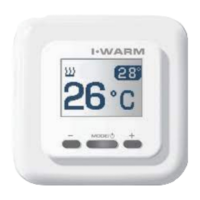
To switch the thermostat to ambient temperature display
mode you should briefly press the center button (
A
/MODE).
Large figures now display ambient temperature, and a sign
(fig.3) appears, informing you that the device is switched
to this mode.
To return to floor temperature indication mode, press
the
A
/MODE button once more. The sign disappears.
Adjustment of built-in ambient temperature sensor
indicator
The Temperature indicated by the built-in sensor can
slightly vary from the actual room temperature because of
small heat output inside the device case.
You can correct this difference by the input of actual room
temperature measured by your thermometer.
We recommend that you make this correction only after
two hours of continuous operation of the thermostat.
9


 To Next Page