2
1.4. Installation
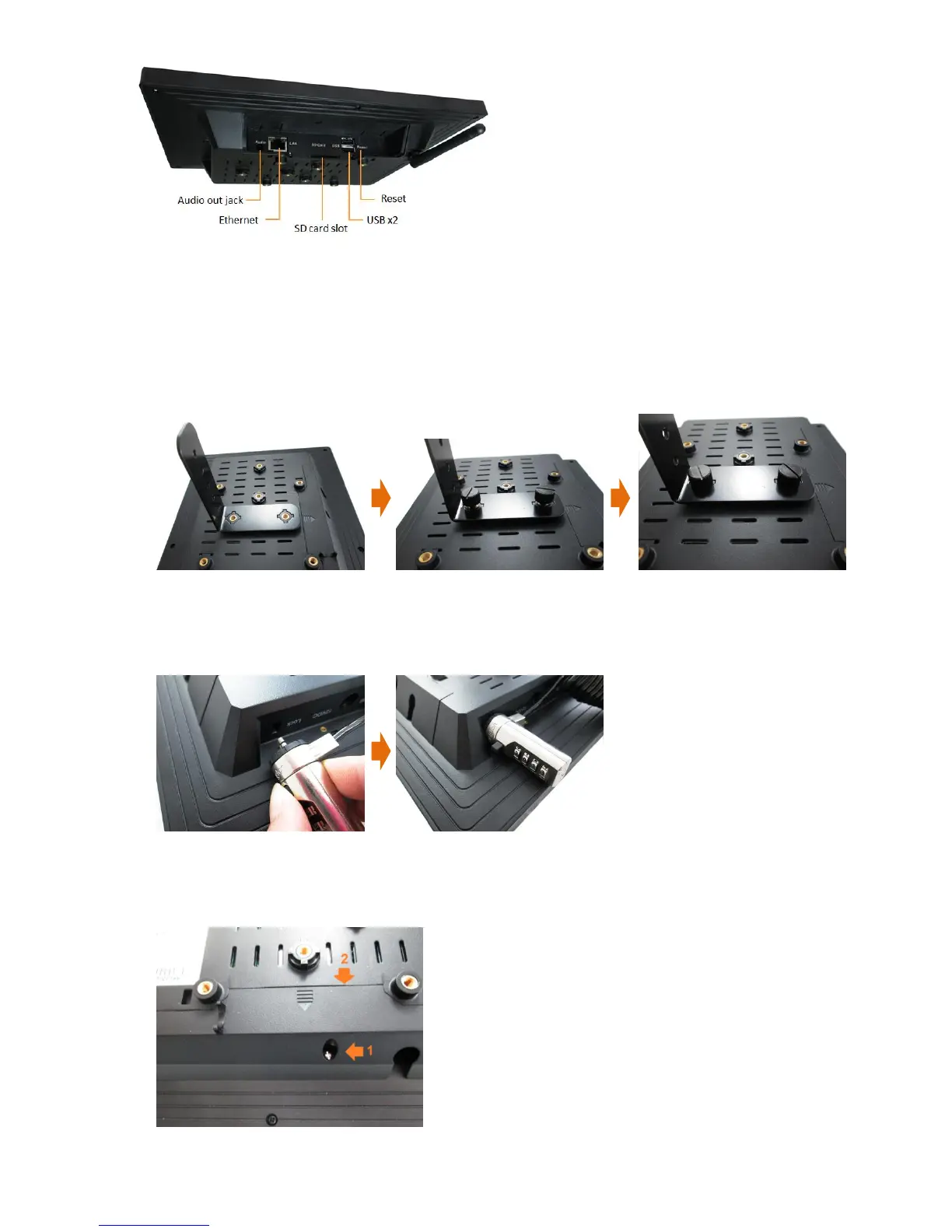
Fix the display stand
1 Put the supplied display stand onto the screw socket.
2 Insert the two supplied screws.
3 Fasten the screws.
Fix the Kensington lock
1 Press Kensington lock’s button and aim at the lock hole.
2 Plug the lock into the lock hole, and then lose the button.
Open the back cover
1 Lose the screw of the back cover.
2 Push the back cover toward the arrow’s direction, and then pull up.


 To Next Page