3
2. Configuring the XDS-1060/1062 digital signboard
2.1. System connections
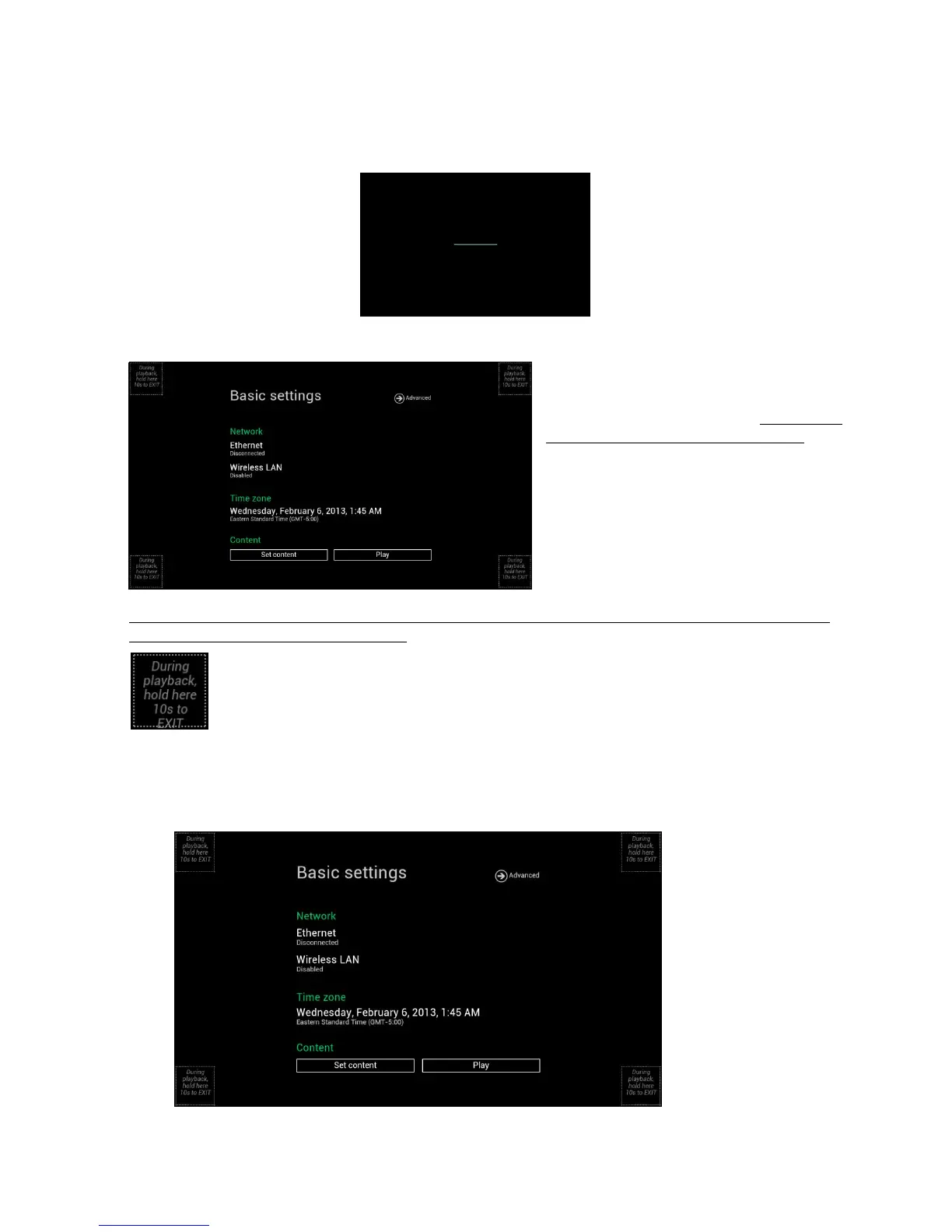
1 Attach the AC power adapter to power on the unit. After approximately 35 seconds booting animation will be
displayed on screen as shown below :
2 Player boot process takes approximately 60 seconds to complete.
After boot up complete, signboard will stay in
basic settings menu if no content service has
been configured (i.e. first boot up for brand
new unit or after a factory reset). Plug in a USB
mouse to start configuring the signboard.
If you have already set content into the
signboard, contents will play back
automatically after 15 seconds after boot up.
To enter the menu system at any time during playback, plug in a USB mouse and hold the left mouse key in the
corner area as shown below for 10 seconds.
*Player will ask for password if password is pre-configured.
2.2. Basic settings
You must attach a USB mouse to the signboard to configure settings.
(Fig. 2.2.1)


 To Next Page