7
2.5. Content settings
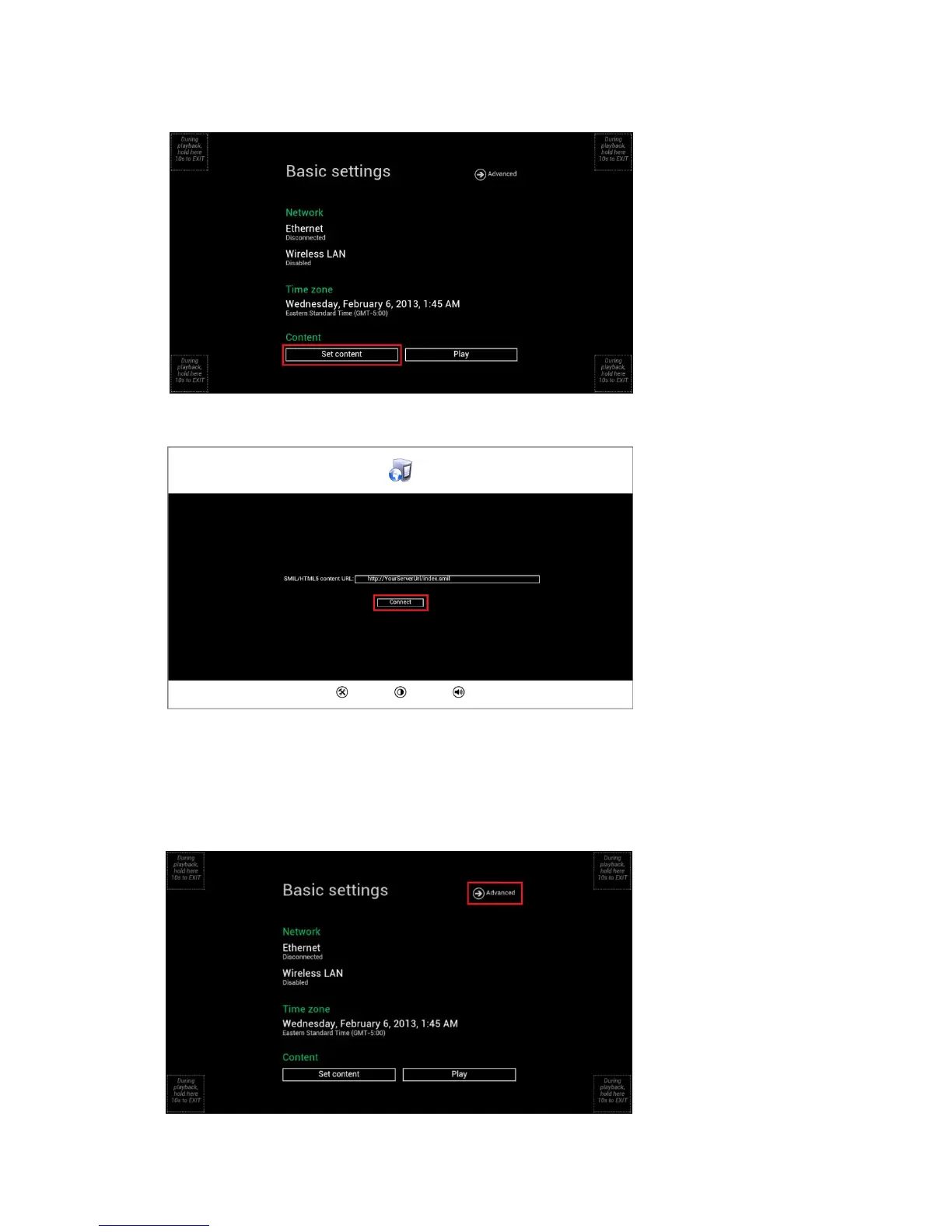
1 Click the Set content button, configuration menu will be launched.
(Fig. 2.5.1)
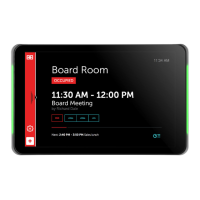
2 Input the content source URL and click Connect button, signboard will start playback immediately.
(Fig. 2.5.2)
2.6. Player Information
User can check the signboard’s basic information including the Health status; Firmware version; and Player ID.
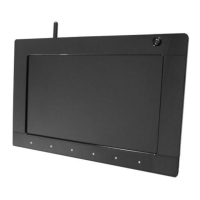
1 Click the Advanced button, advanced configuration menu will be launched.
(Fig. 2.6.1)


 To Next Page