5
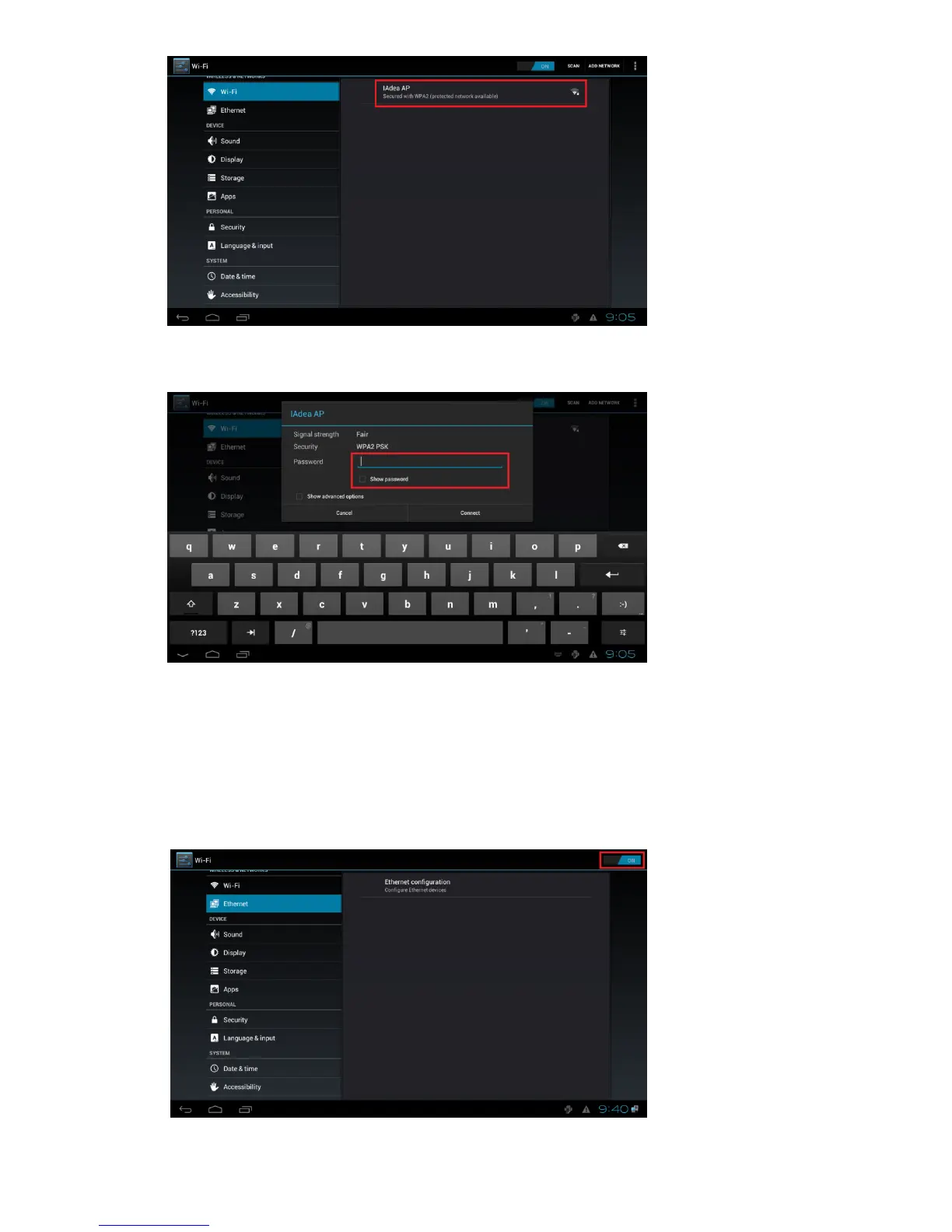
(Fig. 2.3.3)
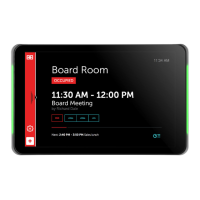
4 Click on the station name to connect. If the network requires authentication, you will be asked to provide
the password for access.
(Fig. 2.3.4)
Wired connection
To use the wired Ethernet connection, connect an Ethernet cable and disable the Wireless LAN interface first
1 Click the Wireless LAN setting, the wireless configuration UI will be launched. (Fig. 2.3.1)
2 Click the ON/OFF button as indicated below to turn OFF Wireless interface. (Fig. 2.3.2)
DHCP – automatically assign network IP address
3 Turn on Ethernet interface. For DHCP environment, configuration is finished in this step.
(Fig. 2.3.5)


 To Next Page