DX90 User GuideUser Guide
11
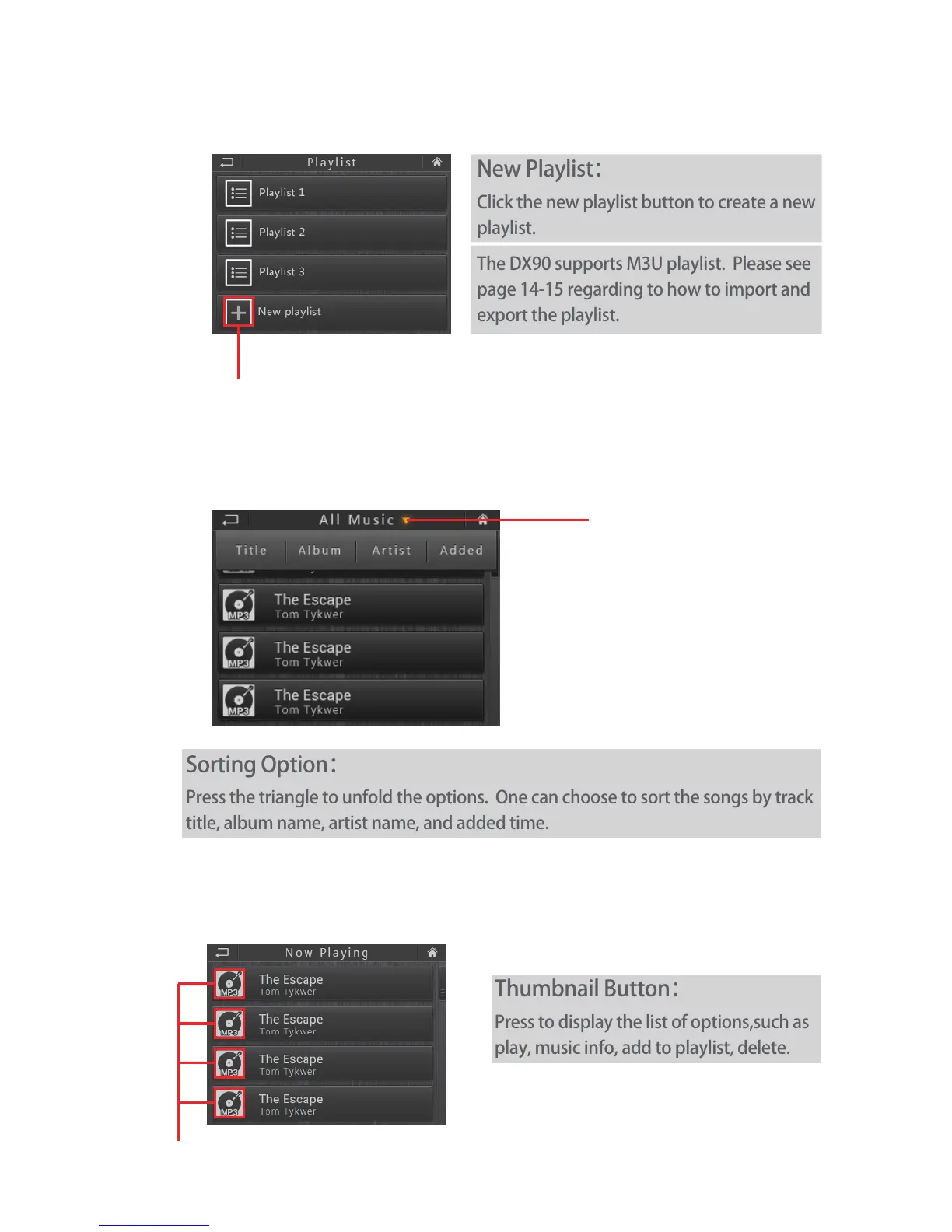
Thumbnail Button:
Press to display the list of options,such as
play, music info, add to playlist, delete.
Playlist:
All Music:
Album/Artist/Genre:
Thumbnail Button
New Playlist
Sorting Option:
Press the triangle to unfold the options. One can choose to sort the songs by track
title, album name, artist name, and added time.
Sorting Option
New Playlist:
Click the new playlist button to create a new
playlist.
The DX90 supports M3U playlist. Please see
page 14-15 regarding to how to import and
export the playlist.


 To Next Page