DX90 User Guide
6
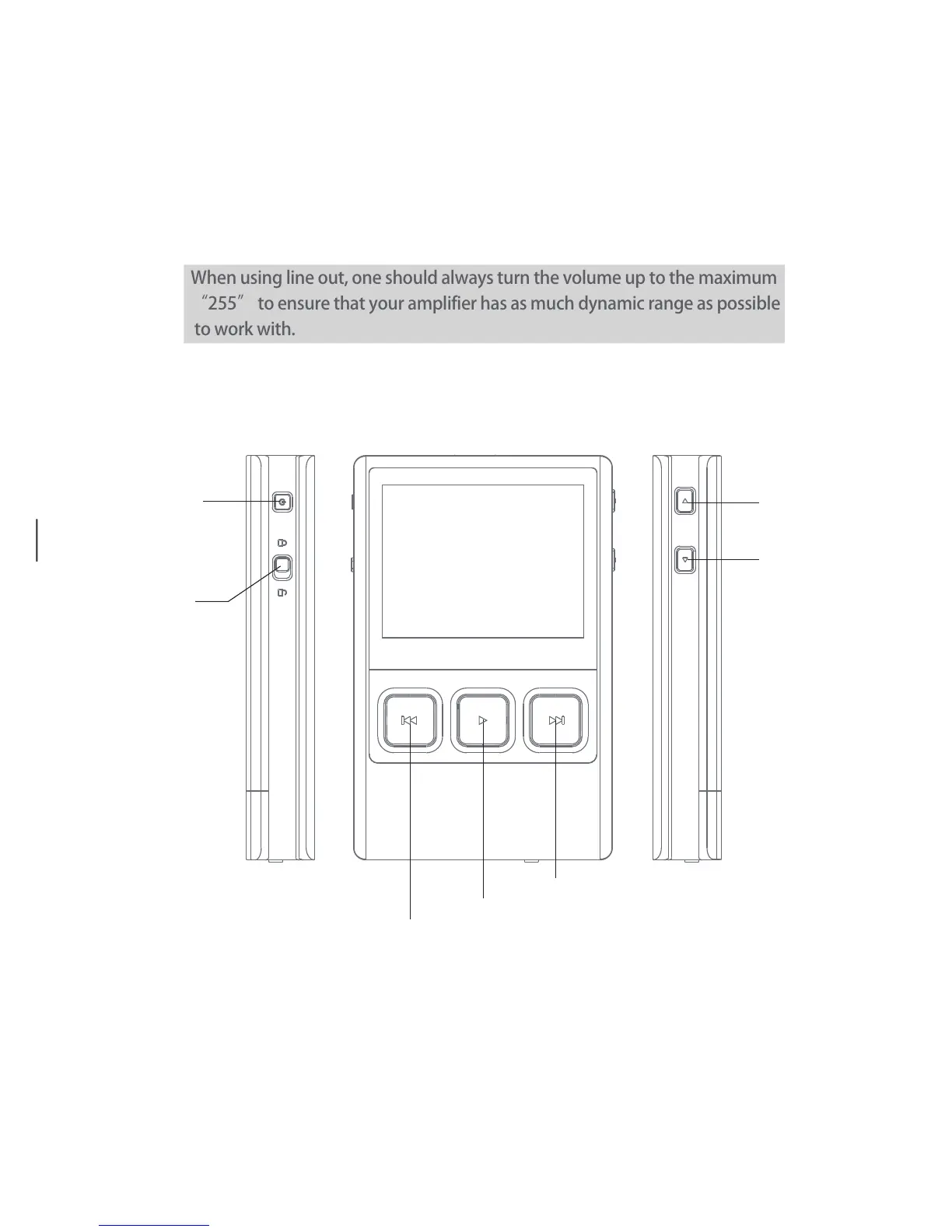
Volume +
Volume -
Power
Hold
Next/Fast Forward
Previous/Rewind
Play/Pause
Short Press - Power the LCD screen on and off,
Long Press - Power the DX90 on and off.
Power:
Move the hold switch to activate or deactivate the button operation.
Hold:
Plug in the earphone and output sound through the phone jack.
Phone Port:
When using line out, one should always turn the volume up to the maximum
“255” to ensure that your amplifier has as much dynamic range as possible
to work with.
Use a 3.5 to 3.5 interconnect cable to play music stored in the DX90 on an external amplifier
with a line in port.
Move the switch to set the Low, Mid, and High gain.
Gain Switch:
Line Out Port:


 To Next Page