Installing Internal Drives
4. Make sure that the address jumper on the back of the backplane
is set to D (see “Setting the Backplane Address Jumper (J2)” on
page 251).
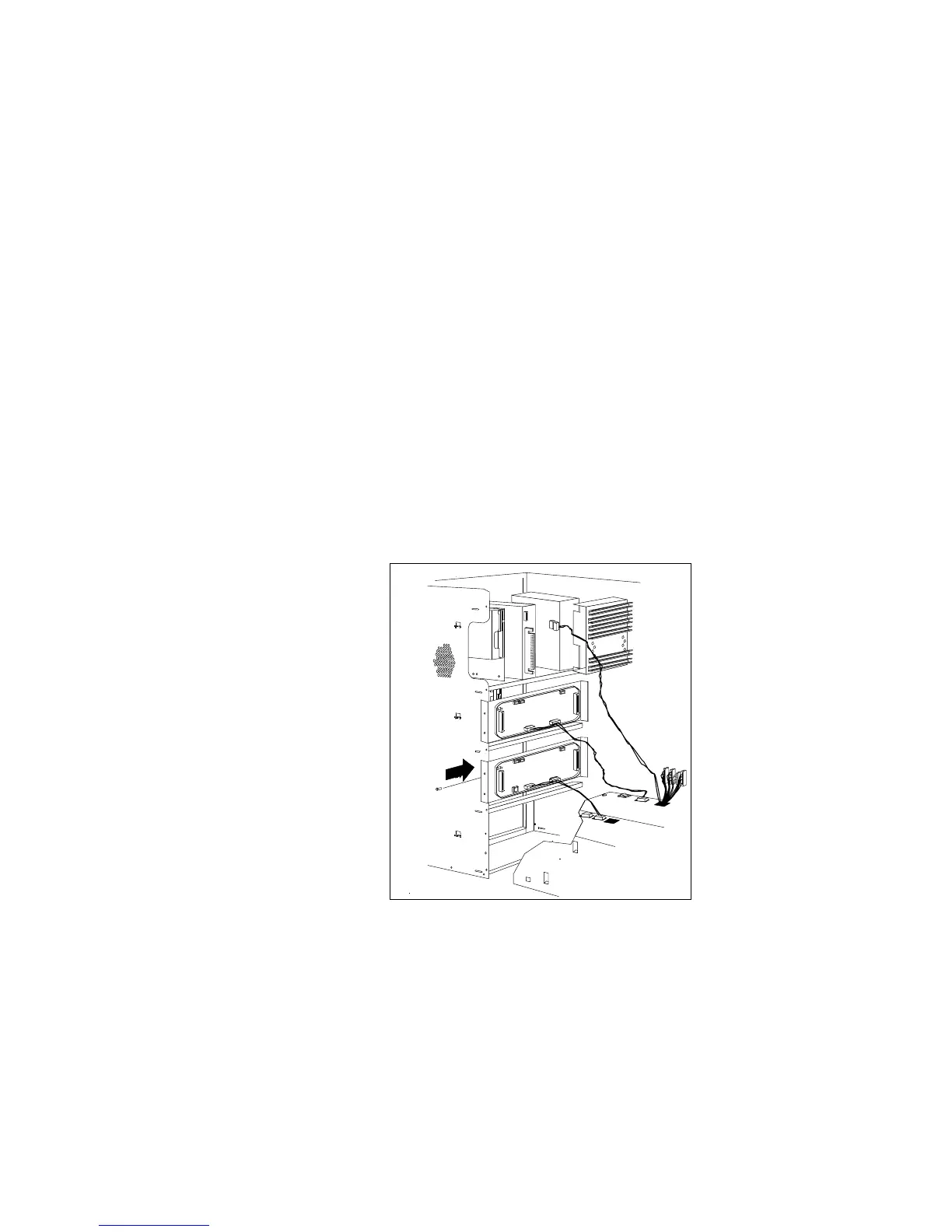
5. Install the backplane at the rear of bank D:
a. Align the top screw hole on the left side of the backplane
with the top screw hole on the left side of bank D, making
sure the bumps on the backplane line up with the holes on
the frame of the server.
b. Secure the backplane with one screw, as shown.
c. Install a power cable that connects the backplane to the
additional power supply.
224 PC Server 520 User's Handbook for PCI/EISA








 To Next Page