Installing a Microprocessor
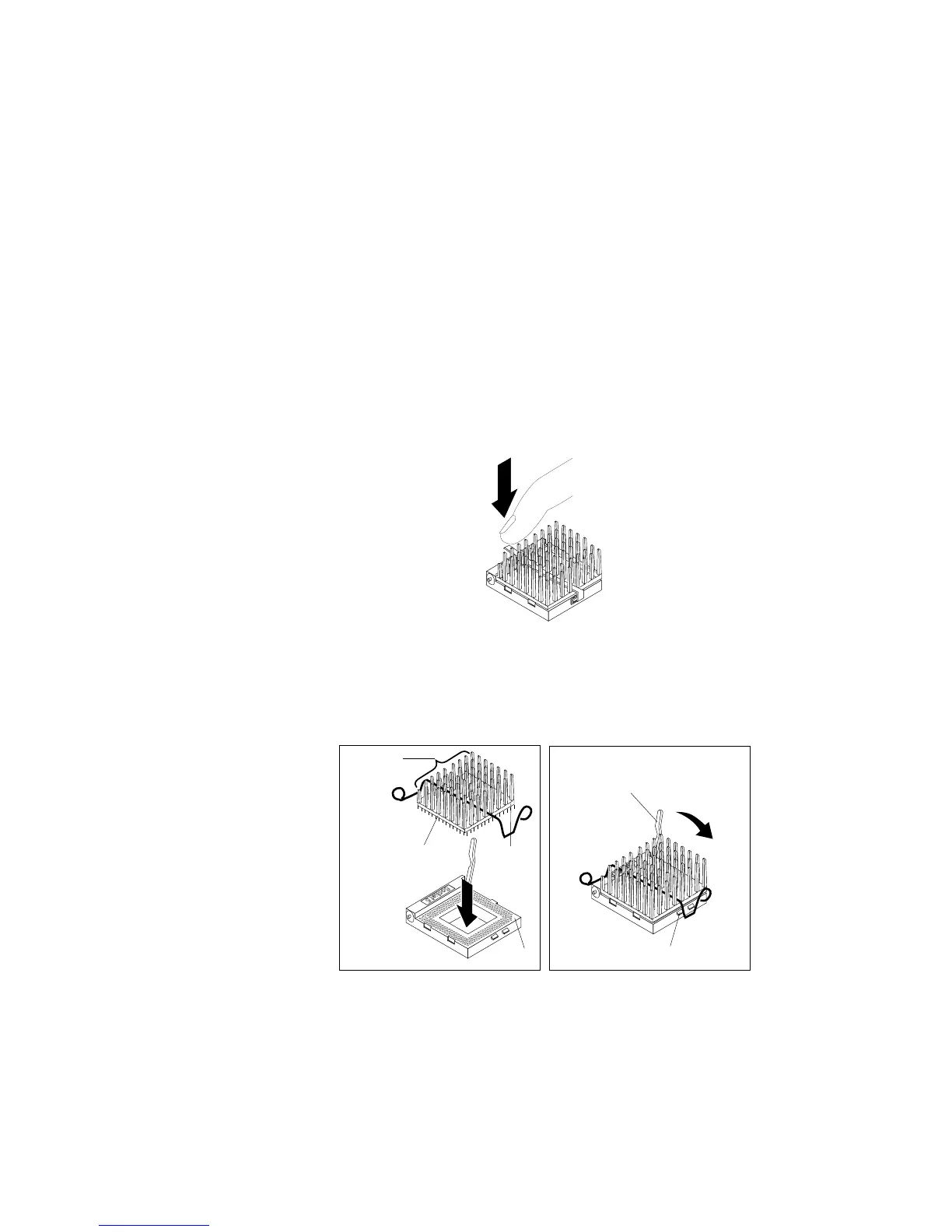
10. Clip one end of the heat-sink clip over the flange. Then, place
the clip on top of the heat sink and press down until it is secure
on both sides of the socket.
Socket 5
11. Go to step 15 on page 260.
12. Move the latch downward until the microprocessor is
completely locked into the socket. Make sure the latch is in the
fully closed position.
Socket 5
Latch
Flange
Microprocessor
Heat sink
Notch
Notch
Socket 5
Chapter 5. Installing Options 259








 To Next Page