Installing Internal Drives
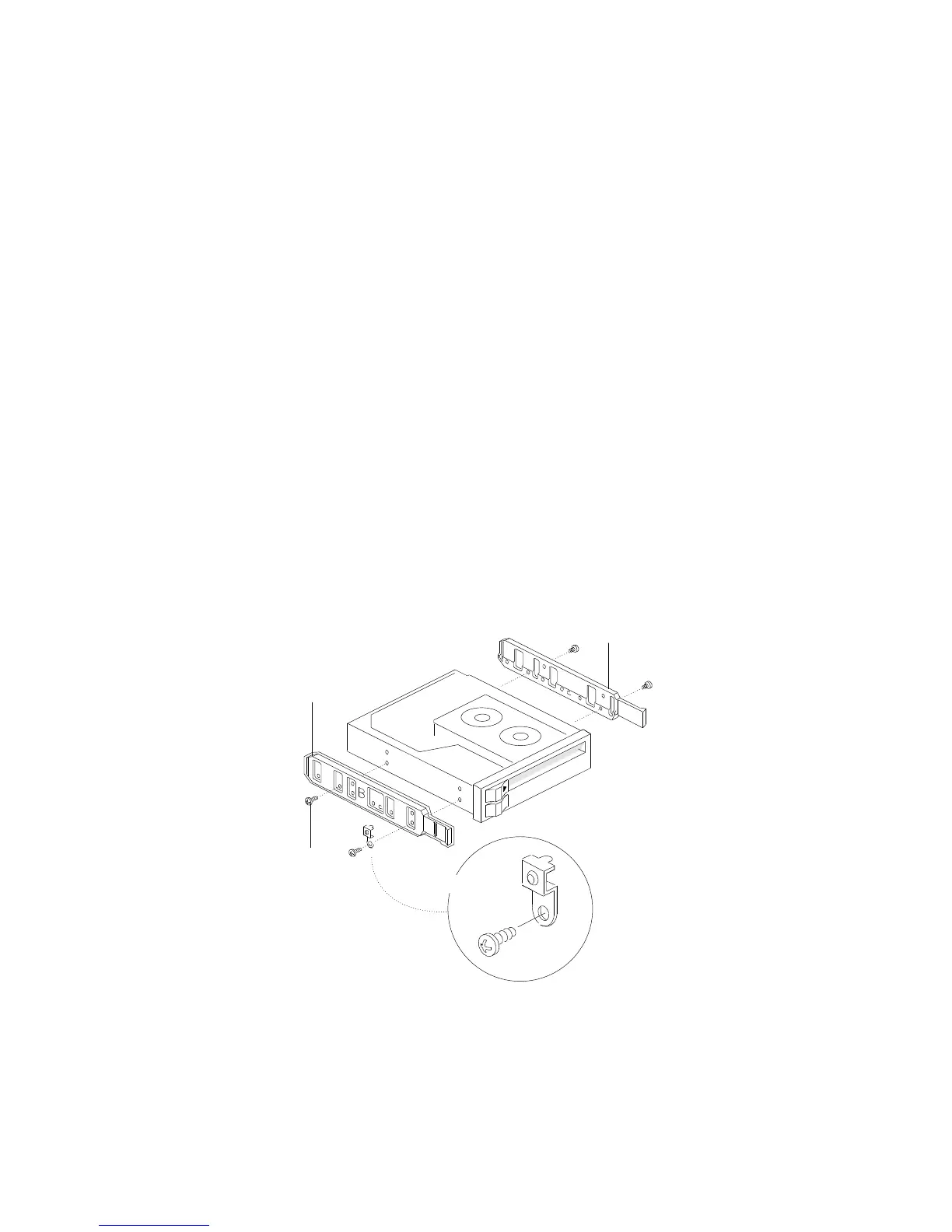
7. Attach the plastic snap-in slide rails and an EMI/ESD
grounding clip to the drive:
a. Attach plastic snap-in slide rail B .2/ to the left side of the
drive, using two screws .4/ of the appropriate size and
length.
b. Install the grounding clip under the screw head near the
front of the drive, as shown in .3/.
c. Attach slide rail A .1/ to the right side of the drive, using
two screws of the appropriate size and length.
Note: The screws are included in the drive accessory kit that
came with your server.
1
2
3
4
8. Place the drive so that the plastic side rails engage in the bay
guide rails. Push the drive into the bay until the rails lock in
place.
Chapter 4. Installing Options 169






 To Next Page