Removing Internal Drives
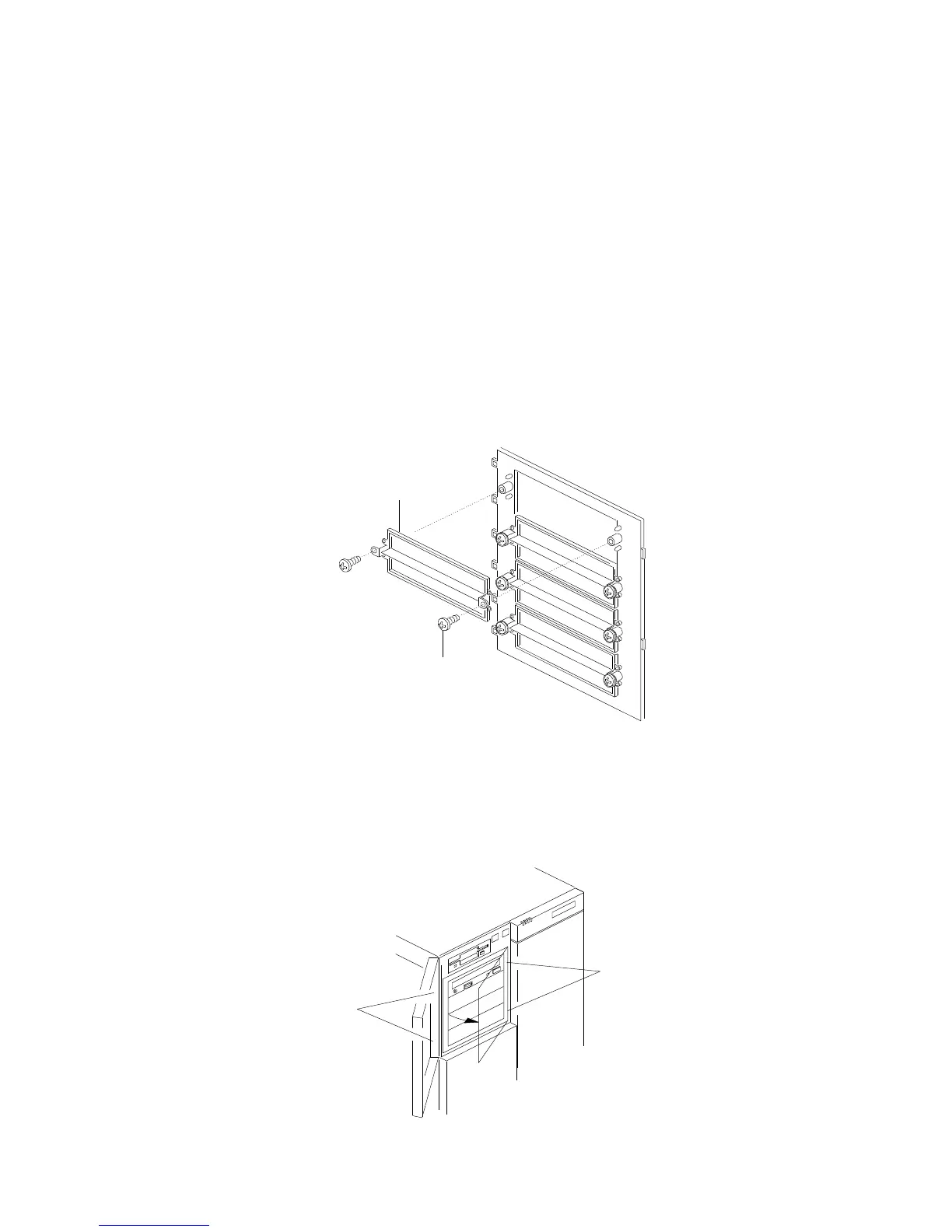
9. Cover the empty bay with a filler panel:
a. Use two screws .1/ to install a filler panel .2/ in the
corresponding opening in the filler panel frame.
1
2
b. Align the hinge tabs (the tab locations are pinpointed but
not shown at .1/ in the following figure) at the right edge
of the filler panel frame .2/ with the corresponding slots in
the chassis.
c. Swing the panel frame to the left until it latches.
1
2
Chapter 4. Installing Options 185






 To Next Page