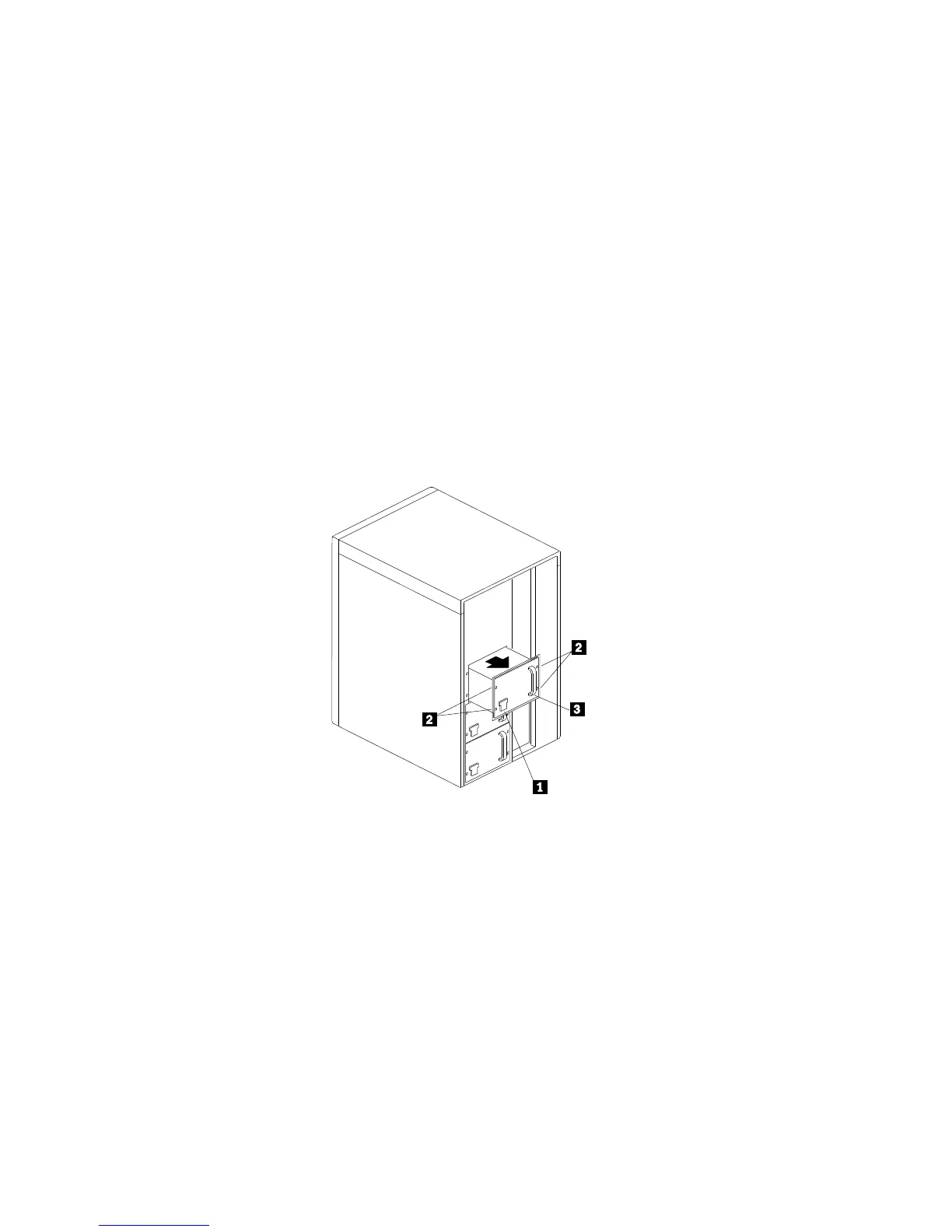
Removing Power Supplies
4. Unplug the power cord from the back of the chassis. A
spring-loaded interlock at the AC receptacle .1/ prevents the
power supply from being removed unless the power cord has
been removed.
5. Remove the four screws .2/ and store them in a safe place.
6. Grasp the handle .3/ on the power supply; then, slide it out of
the chassis.
7. Place the power supply in a static-protective container and store
it in a safe place.
8. Align the power-supply cover with the power-supply bay
opening.
9. Place the cover over the bay.
10. Reinstall the screws that you removed from the power-supply
cover.
198 PC Server 704 User's Handbook






 To Next Page