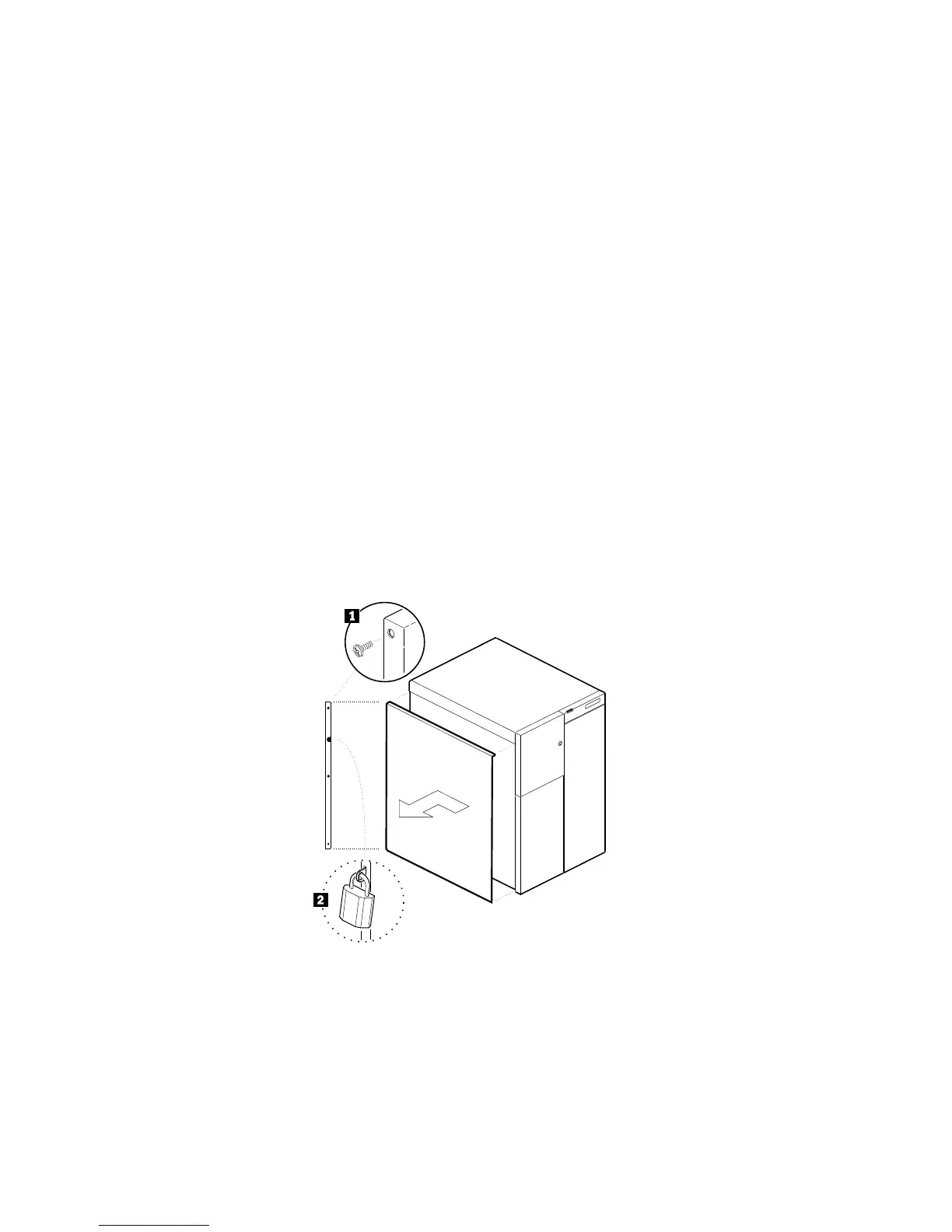
Installing the Side Covers
3. Align the top and bottom rows of tabs on the cover with the
slots in the chassis; then, carefully push the cover inward.
4. Slide the cover toward the front of the server, so that the tabs
engage firmly in the slots.
5. Attach the three screws .1/ that you removed in step 2 on
page 81 to the back edge of the side cover. Tighten the screws
firmly.
6. To prevent unauthorized access inside the server, purchase and
install two padlocks .2/, using the loop at the back of each side
cover.
204 PC Server 704 User's Handbook






 To Next Page