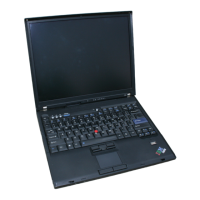
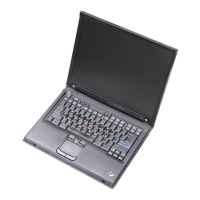
This document is a Hardware Maintenance Manual for the IBM ThinkPad T43 series (Machine Types 1871, 1872, 1875, and 1876) and the ThinkPad Dock II (Machine Type 2877), published in February 2005. It provides service and reference information, including general guidelines, safety information, and product-specific details for troubleshooting and replacing Field Replaceable Units (FRUs).
Function Description:
The IBM ThinkPad T43 series are mobile computers designed for various computing tasks. The manual covers the maintenance aspects of these laptops and their associated docking station, the ThinkPad Dock II. It is intended for trained service personnel to effectively troubleshoot problems using advanced diagnostic tests.
Important Technical Specifications:
The ThinkPad T43 series features various configurations:
- Processor: Intel Pentium M processors, including models 730 (1.6 GHz, 2-MB L2 cache), 740 (1.73 GHz, 2-MB L2 cache), and 750 (1.86 GHz, 2-MB L2 cache). CPU assemblies for models 750, 760 (2.0 GHz), and 770 (2.13 GHz) are also listed as FRUs.
- Bus Architecture: 533-MHz PSB, 533-MHz DDR2 SDRAM (PC2-4200), HUB link, PCI bus, and LPC bus.
- Graphic Memory Chip: Intel 915GM.
- Display: Available in 14.1-inch and 15.0-inch TFT color LCDs.
- 14.1-inch: 16M colors, XGA (1024 × 768 resolution).
- 15.0-inch: 16M colors, XGA (1024 × 768 resolution) or SXGA+ (1400 × 1050 resolution) IPS (in-plane switching) TFT color LCD.
- Standard Memory: 256-MB, 512-MB, or 1-GB DDR2-533 SDRAM SO-DIMM (PC2-4200) cards. Optional memory configurations include 256-MB, 512-MB, 1-GB, and 2-GB DDR2-533 SDRAM SO-DIMM cards (maximum 2048 MB).
- CMOS RAM: 242 bytes.
- Hard Disk Drive: Available in 30.0 GB (4200 rpm), 40.0 GB (4200 rpm, 5400 rpm), 60.0 GB (5400 rpm, 7200 rpm), and 80.0 GB (5400 rpm) capacities, all 9.5 mm high with IDE interface. Specific supported models depend on the laptop configuration.
- Ultrabay Slim Device (Standard): DVD drive, DVD/CD-RW combo drive, or DVD-RAM/RW drive, all 9.5 mm high.
- Fingerprint Reader: Available on some models.
- I/O Ports: External monitor connector, stereo headphone jack, monaural microphone jack, infrared port, parallel connector, docking connector, RJ11 connector, RJ45 connector, TV-out connector (S-Video), and two universal serial bus (USB) connectors (compatible with USB 1.1 and 2.0).
- Internal Modem: 56.6 Kbps.
- Audio: Built-in stereo speakers with software control volume.
- Infrared Transfer: IrDA 1.1.
- Ethernet (on the system board): Gigabit Ethernet.
- Mini PCI Adapter: Intel PRO Wireless 2200BG Mini-PCI Adapter or Intel PRO Wireless 2915ABG Mini-PCI Adapter.
- PC Card/ExpressCard Slots: ExpressCard (34 module, 54 module) for the upper slot, and PC Card (Type-II) for the lower slot.
- Communication Daughter Card (CDC): IBM Integrated 56K Modem (MDC-2) or IBM Integrated Bluetooth IV with 56K Modem (BMDC-3).
- Touch Pad: UltraNav.
- ThinkLight: Yes.
- Battery: Li-ion battery (6 cells) 4.8 Ah, Li-ion battery (9 cells) 7.2 Ah, and Ultrabay Slim Li Polymer battery (3 cells) (option).
- AC Adapter: 72-watt type.
- Preinstalled Operating System: Windows XP Professional or Windows XP Home Edition.
Usage Features:
The manual outlines several user-facing features and their maintenance implications:
- Power Management: The computer supports screen blank, standby, and hibernation modes to reduce power consumption. These modes can be activated via Fn key combinations (Fn+F3 for screen blank, Fn+F4 for standby, Fn+F12 for hibernation) or automatically based on inactivity or low battery.
- Fn Key Combinations: A table details the functions of Fn key combinations, such as switching display output (Fn+F7), adjusting display brightness (Fn+Home, Fn+End), controlling Bluetooth wireless devices (Fn+F5), and enabling the FullScreen Magnifier (Fn+Spacebar).
- Status Indicators: The manual provides a comprehensive list of system status indicators (Ultrabay Slim, Standby, Battery, Power on, Drive in use, Caps lock, Num lock, Bluetooth, Wireless) and their meanings (green, blinking green, orange, blinking orange, or off).
- Passwords: The system supports Power-on Password (POP), Hard-disk Password (HDP), and Supervisor Password (SVP) for security. Procedures for removing forgotten POPs and HDPs are included, with warnings about data loss if master HDPs are unavailable.
- Product Recovery: Instructions are provided for restoring the pre-installed system to factory contents using recovery CDs, which is necessary after replacing a hard disk drive.
Maintenance Features:
The manual is primarily a maintenance guide, offering detailed instructions and warnings for servicing the ThinkPad T43 and ThinkPad Dock II:
- FRU Replacement Strategy: Emphasizes reinstalling original FRUs if a replacement doesn't fix the problem, replacing only the FRU that changes symptoms, and noting current configuration settings before servicing.
- Safety Information: Extensive safety notices are provided in multiple languages, covering general safety (lifting heavy objects, good housekeeping, avoiding loose clothing/jewelry), electrical safety (using approved tools, disconnecting power, working with live circuits), and specific warnings for batteries (not disassembling, recharging, or short-circuiting) and LCDs (fluid exposure). It also includes a safety inspection guide checklist.
- ESD Precautions: Instructions for handling electrostatic discharge sensitive parts, including keeping parts in protective packages, avoiding contact with other people, wearing a grounded wrist strap, preventing contact with clothing, and using a grounded work mat.
- Laser Compliance: Notes on CD-ROM/DVD drives containing Class 1 laser products, with warnings against opening them due to hazardous laser radiation.
- Diagnostic Tools: The PC-Doctor DOS diagnostic program is used for testing the computer. Instructions for creating a diagnostic diskette and running tests are provided.
- Error Codes and Symptoms: A symptom-to-FRU index lists numeric error codes, error messages, beep symptoms, no-beep symptoms, and LCD-related symptoms, along with recommended FRU or action sequences for diagnosis.
- Power System Checkout: Procedures for checking the AC adapter, battery pack, and backup battery, including voltage measurements.
- FRU Replacement Procedures: Detailed, step-by-step instructions with drawings for removing and replacing various FRUs, including battery packs, Ultrabay Slim devices, hard disk drives, DIMMs, keyboards, modem daughter cards, palm rests, keyboard bezels, Mini PCI adapters, fan assemblies, backup batteries, speaker assemblies, PC Card/ExpressCard slots, LCD assemblies, CPUs, Ultrabay Slim guide rail assemblies, VGA and Ultrabay Slim device eject button cables, system boards, interposer cards, base covers, LCD front bezels, inverter cards, wireless antenna assemblies, LCD panels, LCD cable assemblies, hinges, LCD covers, and ThinkPad Dock II components.
- Screw Notices: Specific instructions for tightening nylon-coated screws (plastic to plastic, logic card to plastic) and using new screws for replacements to ensure reliability.
- Serial Number and UUID Retention: Procedures for saving and restoring the system unit's serial number and assigning a UUID when replacing the system board.
- ECA Information: Instructions for reading and writing Engineering Change Announcement (ECA) information to the EEPROM of the system board.
- Parts List: Comprehensive lists of FRUs, including P/N and CRU ID (Customer Replaceable Unit identification), categorized by overall components, LCD FRUs (14.1-inch XGA TFT, 15.0-inch XGA TFT, 15.0-inch SXGA+ IPS TFT), keyboards (for both 15.0-inch and 14.1-inch LCD models in various languages), recovery CDs (Windows XP Professional and Home Edition for different languages), miscellaneous parts (screw kits, base miscellaneous parts, system miscellaneous parts, LCD miscellaneous parts), AC adapters, optional FRUs, and common parts (tools, power cords).

 Need help?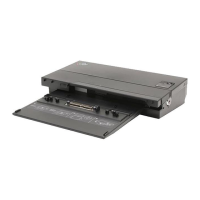








 To Next Page
 General