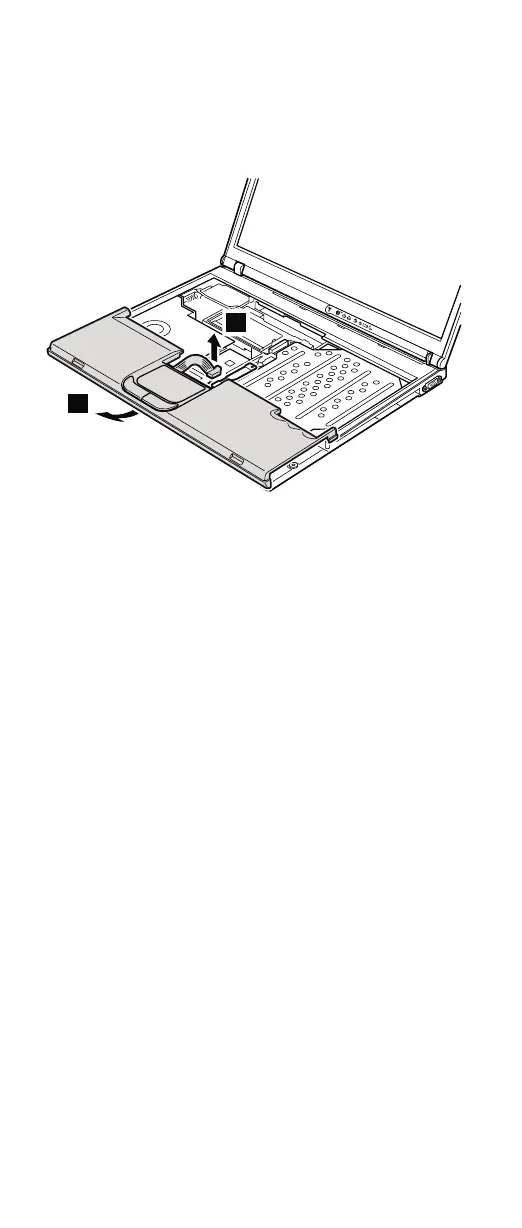
For a model with a touch pad, detach the touch pad
connector by pulling the tab with your fingers in the
direction of arrow 4. Then remove the palm rest in the
direction of arrow 5. For other models, skip step 4.
4
5
When installing: On a model with a touch pad, make
sure that connector 4 is firmly
attached.
Removing and replacing a FRU
92 MT 1871/1872/1875/1876









 To Next Page