EasyManua.ls Logo

IBM T00 - Page 15

IBM T00
86 pages
Print Icon
To Next Page IconTo Next Page
To Previous Page IconTo Previous Page
Loading...
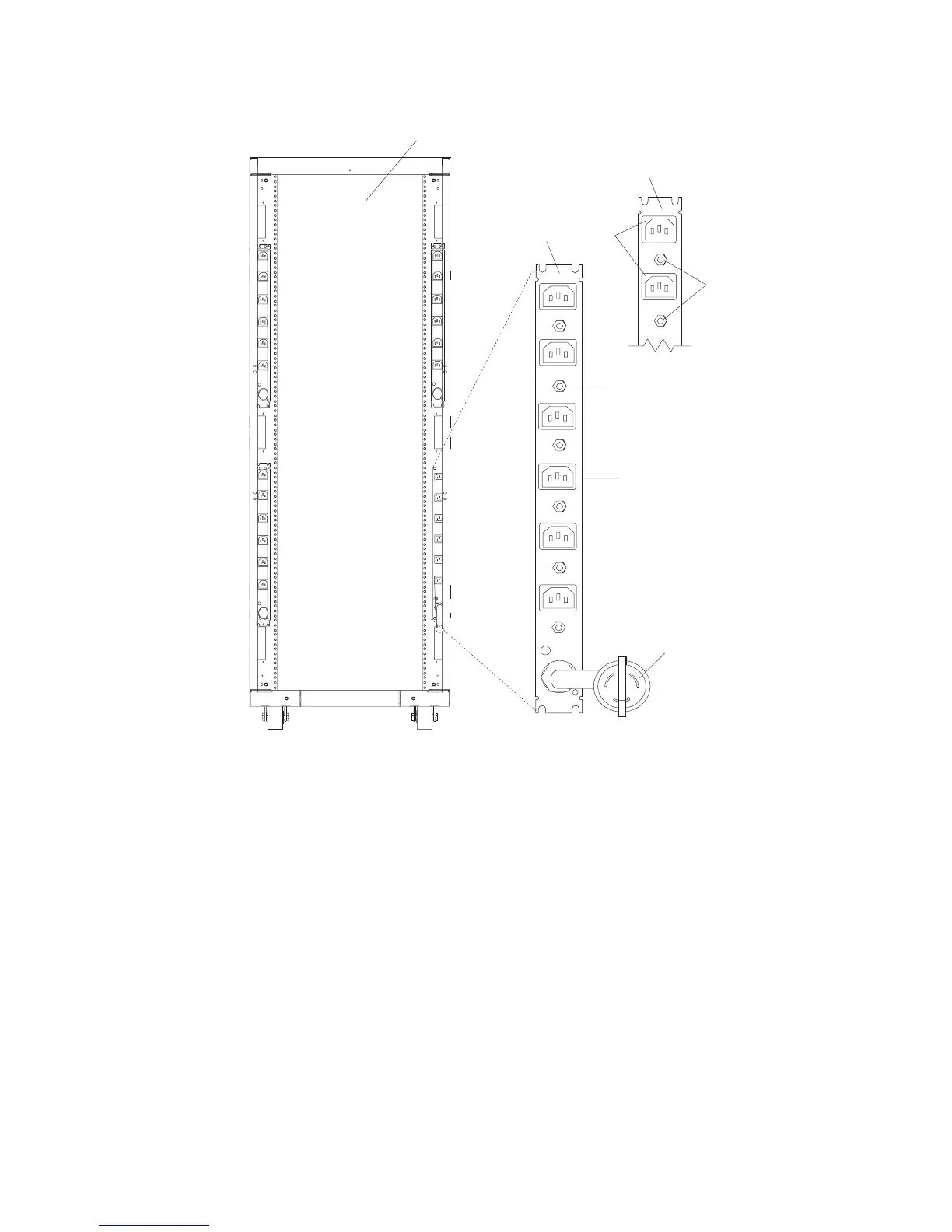
The
following
illustration
shows
the
type
6
power
distribution
bus.
L1
L1
L1
L1
CB1
CB2
CB3
CB4
CB5
CB6
R6
R5
R4
R3
R2
R1
CB8
CB7
R7
R8
1
2
3
4
5
6
7
8
1
Rear
View
of
the
Rack
5
Reset
Buttons
(Two
Facing
the
Front
of
the
Rack)
2
Power
Distribution
Bus
6
Reset
Buttons
3
View
of
the
Power
Distribution
Bus
(Facing
the
Rack)
7
Outlet
for
Drawers
4
Outlets
for
Peripherals
(Two
Facing
the
Front
of
the
Rack)
8
Power
Cord
(Plug
Configuration
May
Vary)
Note:
Circuit
breakers
for
Type
7
buses
are
on
the
back
of
the
bus.
To
access
the
circuit
breaker,
remove
the
side
cover
or
remove
the
bus.
For
information
about
removing
the
side
cover,
refer
to
Step
6.
Installing
Multiple
Racks.
For
information
about
removing
the
bus,
refer
to
“Removal
and
Replacement
of
the
AC
Power
Distribution
Bus”
on
page
29.
Chapter
1.
Reference
Information
3

Table of Contents

Related product manuals