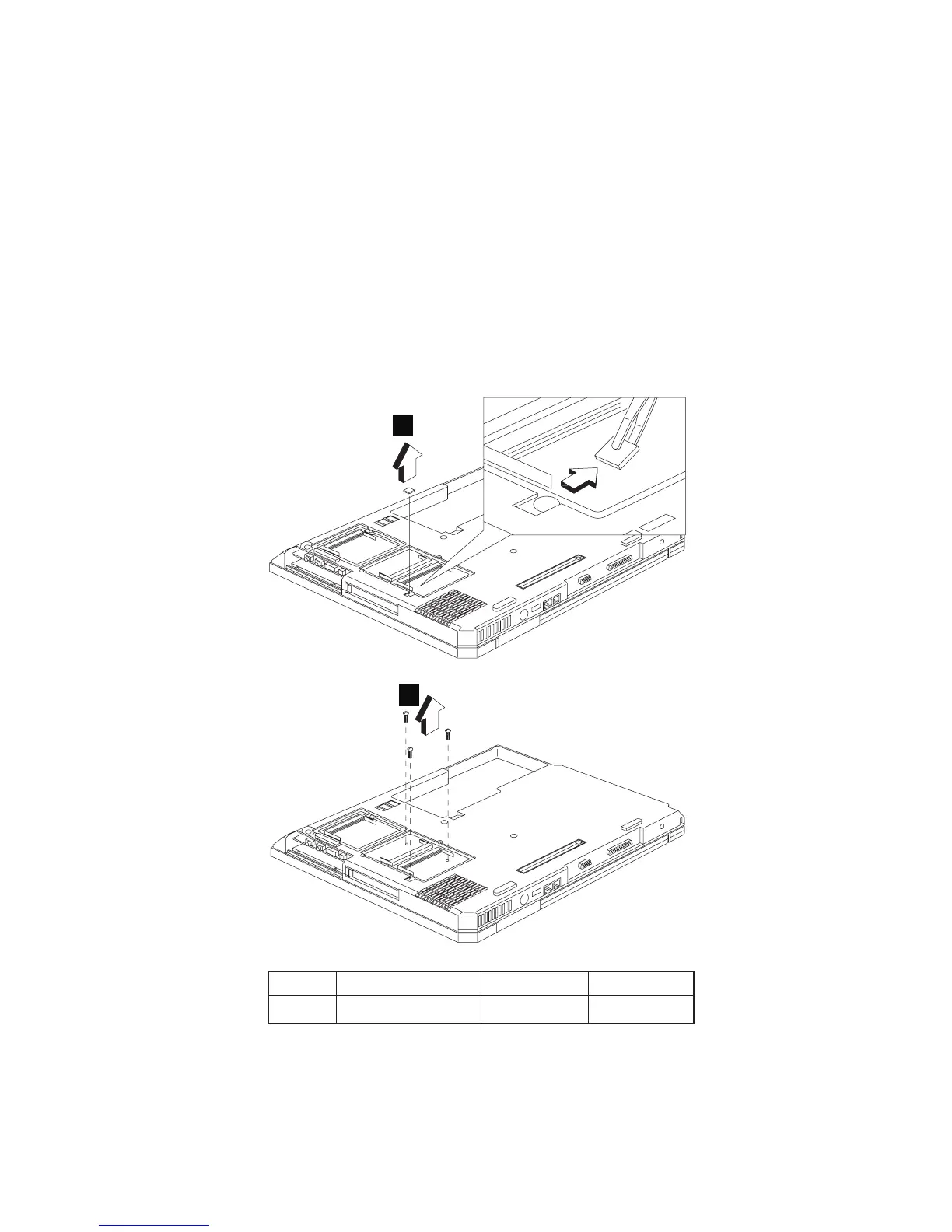
CAUTION:
The keyboard bezel has several latches. When
removing the keyboard bezel from the bottom cover,
gently release these latches, then raise the side of the
keyboard bezel facing the palm rest to remove it. Be
careful not to break the latches.
1110 PCMCIA holder
v “1010 Battery assembly” on page 60
v “1060 Keyboard” on page 64
v “1080 Middle cover” on page 66
v “1090 LCD assembly” on page 68
v “1100 Keyboard bezel” on page 69
1
2
Step Size (Quantity) Color Torque
2 M2 x L6 (3) Silver 1.6 kgf-cm
MT 2656, 2657, 2676 71




 To Next Page