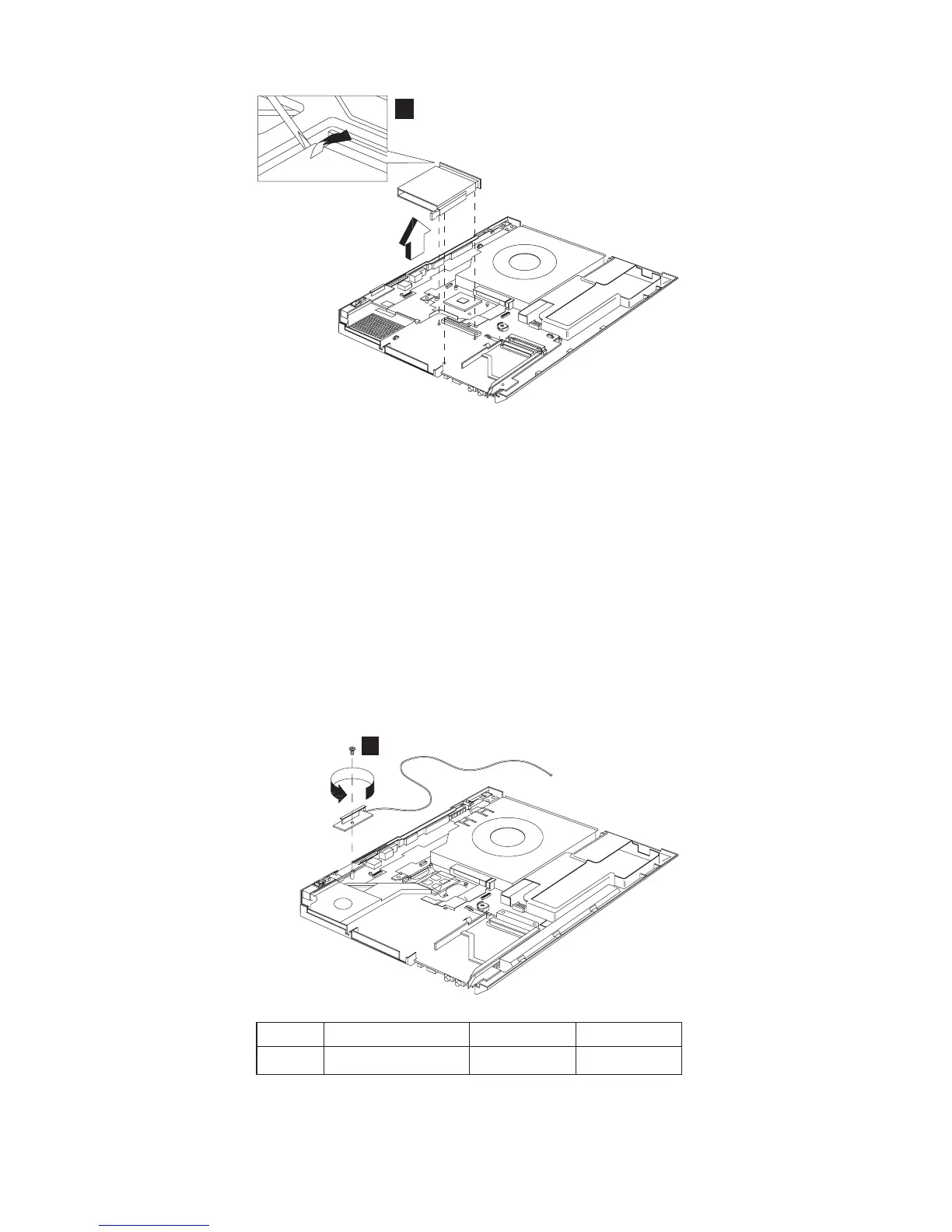
3
Note: Before removing and replacing the PCMCIA holder,
make sure that the PCMCIA cards are removed and
the eject levers are sticking out.
1120 Auxiliary Antenna
v “1010 Battery assembly” on page 60
v “1020 Mini-PCI cover and Mini-PCI card” on page 60
v “1030 Memory cover and Memory card” on page 62
v “1060 Keyboard” on page 64
v “1080 Middle cover” on page 66
v “1090 LCD assembly” on page 68
v “1100 Keyboard bezel” on page 69
1
Step Size (Quantity) Color Torque
1 M2 x L4(1) Silver 2.5 kgf-cm
72 ThinkPad R30/R31 HMM



 To Next Page