1. Go to “Bluetooth” on mobile phone.
2. Disconnect BT508 on “MY DEVICES” list
from mobile phone.
4. Your device will auto disconnect when Bluetooth
range over effective transmission distance (ie 10m).
TF mode will auto play MP3 music when TF card
inserted, but if TF card removed, the default state
is BT mode.
‘TF’ light on when
TF card inserted
Plug-in 3.5mm cable, open the music app on
mobile/computer to play music.
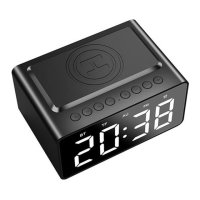
1. Press ” ” button to switch “BT mode” / “Time
clock” (without speaker function).
2. If TF card inserted and AU line-in, Press ” ”
button to switch modes: BT/TF/AU/Time clock
“BT” light on when
Bluetooth working.
“TF” light on when
TF card inserted.
“AU” light on when
3.5mm audio line -i
n
LED display area
flashing
1. Plug Type C cable provided into DC5V port (back of
clock). Plug opposite end into wall adapter (users own).
Unit will have power and start charging.
2. LED clock powers on when unit has enough charge.
3. Note: Alarm clock will remain fully charged whilst
plugged into mains power.
Place your smartphone on Wireless Charger Zone for
charging. Green light will turn on (see back of clock light
indicator) when charging phone.
1. To turn off clock, press the “ ” button for 3 seconds.
2. Clock will auto turn off if low power.
2.2 Clock & LED Display Brightness Settings


 To Next Page
 Loading...