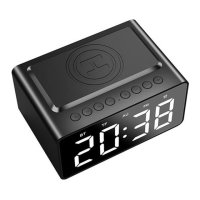
2.6 FM radio
1. Plug-in 3.5mm cable (side of clock) as antenna. “AU” light will appear on display screen
2. Short press “M” until “FM” mode lights up on display screen. FM will auto turn on.
3. To select FM radio station:
(i) In FM mode, long press “M” (2 seconds) to auto-search all FM stations. The frequency range is 87-108. When each channel
is found the station will be saved automatically. After all stations are searched, it will play from the first effective frequency (ie P01).
(ii) When searching for preferred station, the display screen will show P01, P02, P03 etc before each tuned station number displays.
(iii) To find or switch radio station: LONG press (2 seconds) the volume control buttons (backwards/forwards) to find
your preferred FM radio channel. Scroll through all found stations/programs (P01, P02 etc) until you find your preferred station.
The radio station frequency will display after each Program (Example: P13/101.9). Once station is found, remove finger from long
press. Your chosen radio station will play and the digital clock/time will re-appear on the display.
(iv) Volume Control: SHORT press the volume control button (down/up) to control the volume.
NOTE: If station reception is not clear, adjust 3.5mm antenna (Aux in cable) to improve reception.
2.7 Charging
⚫ Please use charger provided with safety certification
⚫ Do not charge in damp/wet or near fire/high temperature environment.
Please charge the speaker with the Type C cable provided. The red indicator light on back of unit turns on when charging
and turns off/no indicator when battery is full. [ First time use, please extend charging time.]
2.8 To charge mobile phone
① Plug the clock/radio into mains power ie from USB port on back of clock to wall adapter (users own) using USB
cable provided.
② Place the back of your mobile phone (wireless charging enabled/compatible) on to the wireless charger zone on
top of the clock.
③ Mobile phone will enter charge mode (indicator light turns to green on back of alarm clock).


 To Next Page
 Loading...