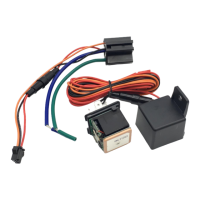
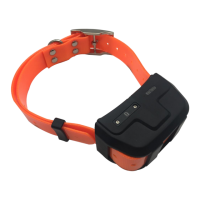
The IK210 GPS Tracker is an asset GPS tracker designed for real-time tracking and monitoring of various assets. This user manual provides comprehensive information on its features, specifications, applications, installation, and operation.
Function Description:
The IK210 GPS Tracker is primarily used for real-time tracking of assets. It utilizes a combination of GPS and WiFi positioning for accurate location data. Key functionalities include:
- Real-time tracking: Provides continuous updates on the device's location.
- History record check: Allows users to review past travel routes and locations.
- Geo-Fence alarm: Enables setting up virtual boundaries, triggering an alarm if the device enters or exits a predefined area.
- Low battery alarm: Notifies users when the device's battery level is low.
- Power saving mode: Optimizes battery life by adjusting tracking frequency.
- PC & Mobile App tracking: Offers convenient tracking through dedicated applications on both computers and mobile devices.
- Mini Hidden: Designed for discreet placement.
- IP65 Water resistant: Provides protection against dust and water splashes.
- Remove Alarm: Triggers an alarm if the device is tampered with or removed.
- One-way communication: Allows for limited communication with the device.
Important Technical Specifications:
- Dimension: 75 x 57 x 31.5 mm
- Weight: 102g
- Charger: DC 5V/1A
- Backup battery: 3.7V 10000mAh
- Power consumption: 40mA standby current
- Working temperature: -20°C to 65°C
- Cellular Bands: GSM: 850/900/1800/1900Mhz
- Positioning: GPS, AGPS, LBS
- Tracking Sensitivity: -162 dBm
- Sensor: Accelerometer
- LED: RED/GREEN/BLUE indicators
- SIM Card interface: Micro SIM
- Waterproof: IP67
Usage Features:
The IK210 GPS Tracker is suitable for a variety of applications, including:
- Luggage tracking: Keeping track of personal luggage during travel.
- Container tracking: Monitoring the location of shipping containers.
- Logistics tracking: Managing and tracking goods in transit.
Installation and Setup:
-
SIM Card Installation:
- A Micro SIM card supporting GSM&GPRS with at least 30MB of data per month is required.
- Open the top housing of the device.
- Insert the SIM card correctly into the SIM card slot.
- The device will automatically turn on (green LED will blink), indicating it's ready for use.
-
LED Indications:
- Green Light (Flash): GSM/GPRS conversation start.
- Green Light (Fix): No GPRS signal.
- Green Light (Off): Power off or in sleep mode.
- Blue Light (Flash): GPS location successful.
- Blue Light (Fix): No GPRS signal.
- Blue Light (Off): Power off or in sleep mode.
- Red Light (Flash): Charging.
- Red Light (Off): Full battery or charged full.
-
SMS Commands:
The device supports various SMS commands for configuration and control:
apn+123456+space+content: Sets the APN.apnuser+123456+space+content: Sets the APN username.apnpasswd+123456+space+content: Sets the APN password.admin123456+space+admin phone number: Sets the admin phone number.SZCS,123456,DOMAIN=a.icargps.net:7700: Sets the domain.Upload123456 time(unit/s): Sets the upload frequency.Monitor123456: Sets the device to monitor mode.where: Requests the current location (returns a Google Map link).RST: Restarts the device.Param1: Requests device details.Status: Requests device status.Format: Resets the device to factory settings.
-
App & PC Tracking Platform:
- Mobile App: Search for "ICAR GPS" on Google Play or the App Store, or scan the provided QR code to download the app.
- Login by Device No.: Input the device's ID number and password (default is 123456).
- Login by User name: Input the user name and password (default is 123456).
- PC Login: Access the web platform at www.icargps.net.
- Choose "ID No." and input the device's ID number and password (default is 123456).
- Choose "Account" and input the user name and password (default is 123456).
Maintenance Features:
- Troubleshooting Startup Failures: If the device fails to start up, check if the device is powered on.
- Location Information Issues: If the device cannot obtain location information, place the unit in an open area for testing.
- SIM Card Selection: The SIM card must support GSM&GPRS and have sufficient currency and credit.
- International Usage: Before using in foreign countries, set the correct APN. For example, for Chinese operators, send "APN123456 CMNET" to the SIM card. For other countries, consult your local SIM card carrier for the corresponding APN details.
The IK210 GPS Tracker is a robust and versatile device designed to provide reliable asset tracking and monitoring with user-friendly interfaces and comprehensive features.

 Need help?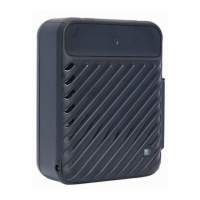

 To Next Page
 General