IK210 User Manual V1.0
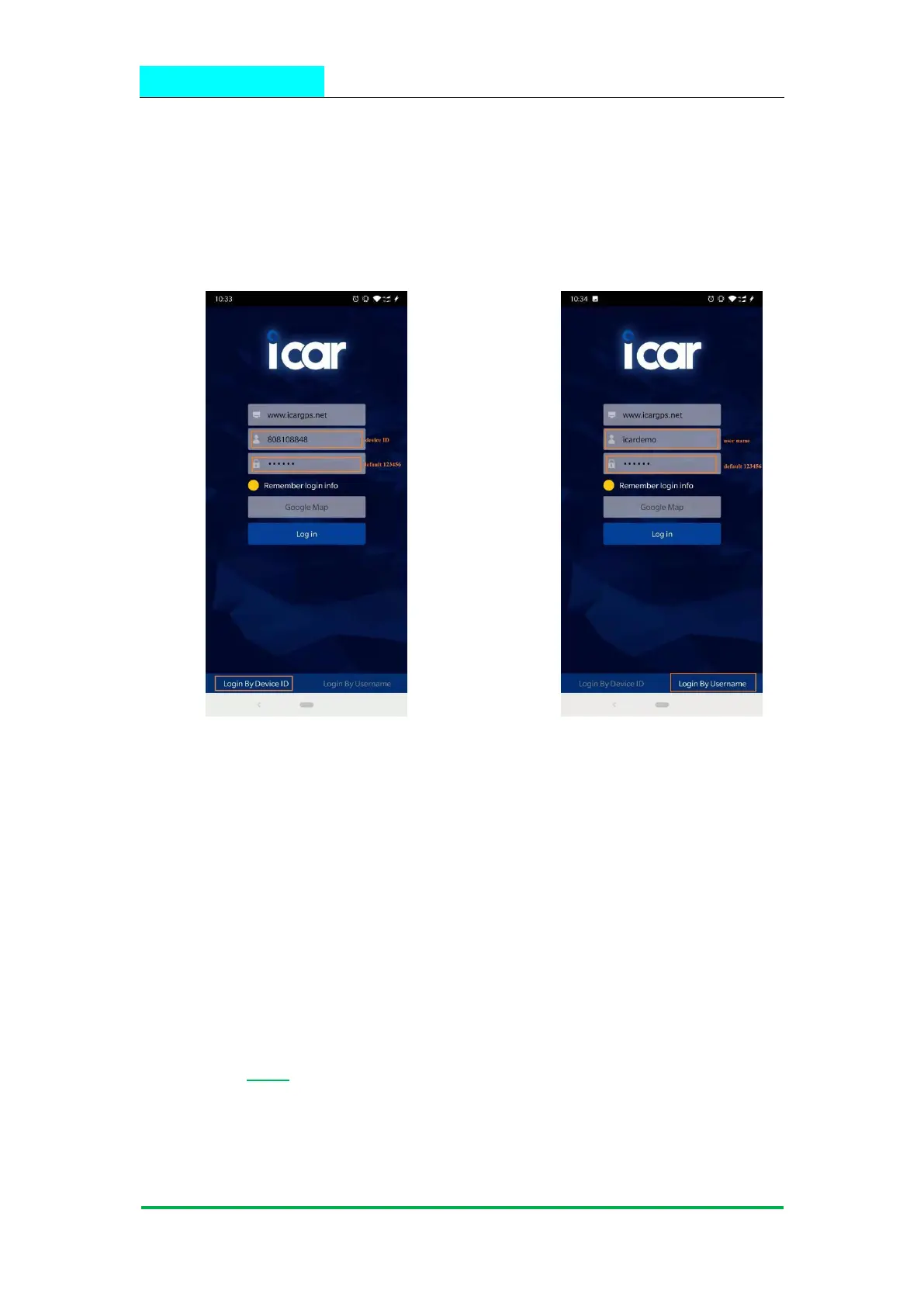
Choose the” Login by Device No.,
Input your device’s ID number and password(default is 123456) to login.
Choose the” Login by User name.,
Input your user name and password(default is 123456) to login.
9.2 PC login
Web: www.icargps.net, Choose “ID No.”
Input your device’s ID number and password(default is 123456) to log in


 To Next Page