iCarsoft English User’s Manual
18
(If you need the Register Code, proceed to the steps 4-7)
(If you have the Register Code, proceed to step 8 directly)
4. The Register Code can be found by connecting the supplied USB cord to
the iCarsoft Serial products / CR Plus and inserting into the computer.
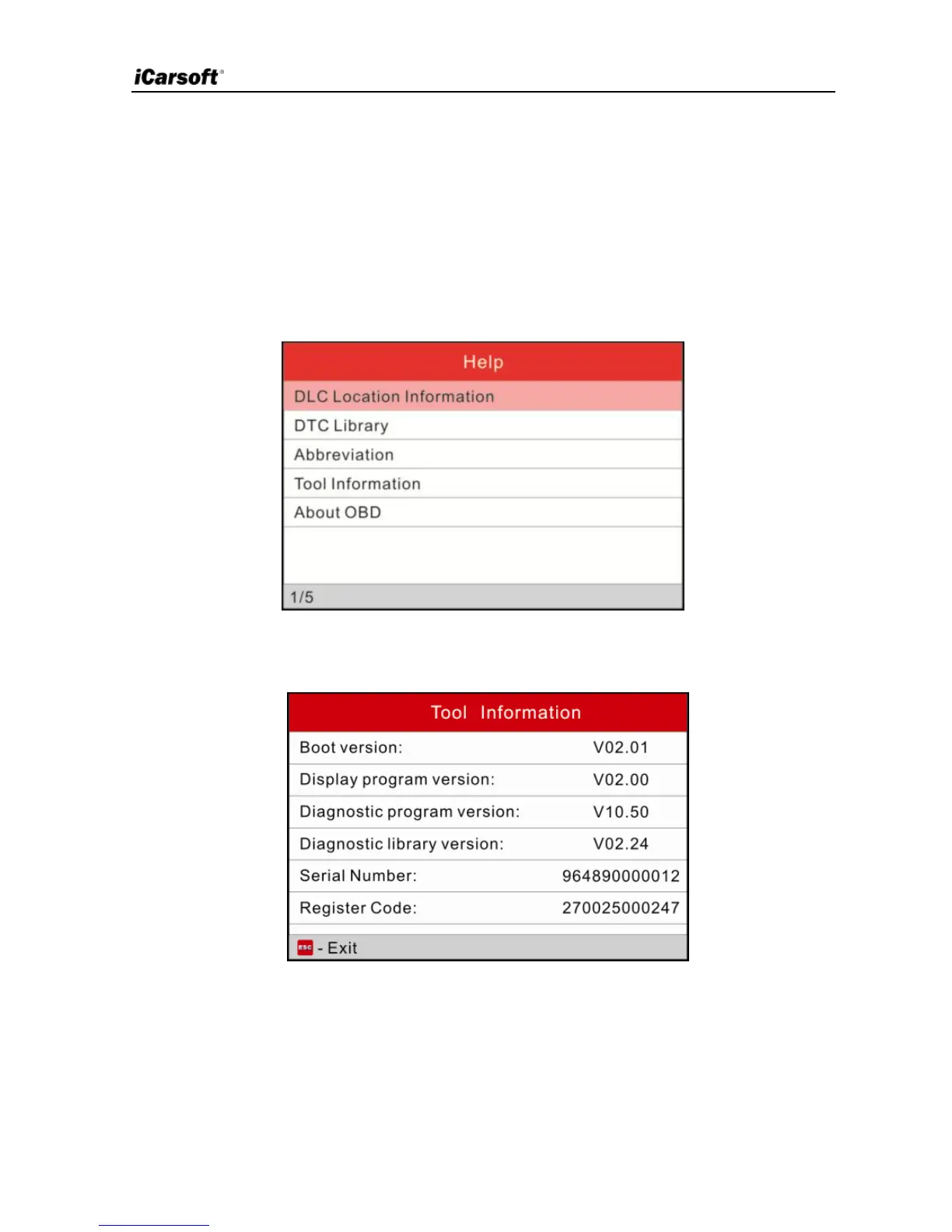
5. When the tool has powered up, highlight “Help” icon and press [OK].
6. Select Tool Information, press [OK].
Figure 5-3
7. This is the Register Code for inputting in step 3.
Figure 6
(Return to step 3 and input the code and then proceed)
8. Install the TF card from the tool into the supplied USB TF card reader and
insert into USB port of CPU.


 To Next Page