8
PROGRAMMING
MODE "19" CREDIT
DISCOUNTING
This mode allows the operator to give a free
game for multiple CONSECUTIVE credits. In
other words, if for example you set a "2" for this
option, for every 2 credits IN A ROW that are in-
serted a free game will be given. The range for
this option is 0-5. Setting a "0" turns this option
OFF.
MODE "20" UP / DOWN
MOTOR TEST
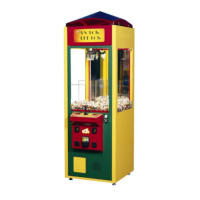
When the operator moves the joystick left and
right the claw will raise and lower respectively.
The display will change from:
0-1 if the up switch is made
0-2 if the down switch is made
0-3 if both switches are made
MODE "21" LEFT/RIGHT
MOTOR TEST
When the joystick is moved left and right the
wagon assembly will move to the left and right.
The right display will change from:
0-1 if the left home switch is made
MODE "22" FRONT/BACK
MOTOR TEST
When the joystick is moved left and right the
wagon assembly will move to the forward and
backwards. The right display will change from:
0-1 if the back home switch is made
Entering the Accounting Mode
To enter the accounting mode, open the front
door and press the button marked ACCOUNT.
Located on the main board housing inside the
front door. The left displays will flash between
“cr” (credits) then the number of credits 1-9999.
If the operator presses the drop button the dis-
plays will flash “pl”(plush), then the number of
plush that has passed through the sensor.
These numbers can never be reset and WILL
NOT match the numbers on the mechanical
counters from the counters. It is advisable that
the owner, note this difference so that they will
be able to track actual software coins/credits
and plush out vs. mechanical counters for ac-
counting purposes.
Test Mode Explanation
Every time that the game is powered up, of the
door is closed, the game will run through a test
mode to check the following items.
-HOME BACK SWITCH
-FRONT/BACK MOTOR
-PRIZE SENSOR
-HOME LEFT SWITCH
-LEFT/RIGHT MOTOR
-OUT OF RANGE
-UP SWITCH
-CREDIT/COIN DISCONNECT
-E² (MEMORY)
-DOWN SWITCH
-CLAW CLOSE, CLAW OPEN
If any of the above items are malfunctioning, the
game will light the 4 decimal points on the po-
dium displays. This will alert the operator that
there has been a problem. The operator needs
only unlock and open the front door and the er-
ror codes will be displayed one at a time on the
left display. To move to the next error code the
operator needs to press the drop button. Re-
pairs should be made to those areas in which
errors have been logged. When all codes have
been seen


 To Next Page