THE FOLLOWING STEPS ARE ONLY REQUIRED IF YOUR GAME IS NOT ALREADY CONFIGURED FOR .50!
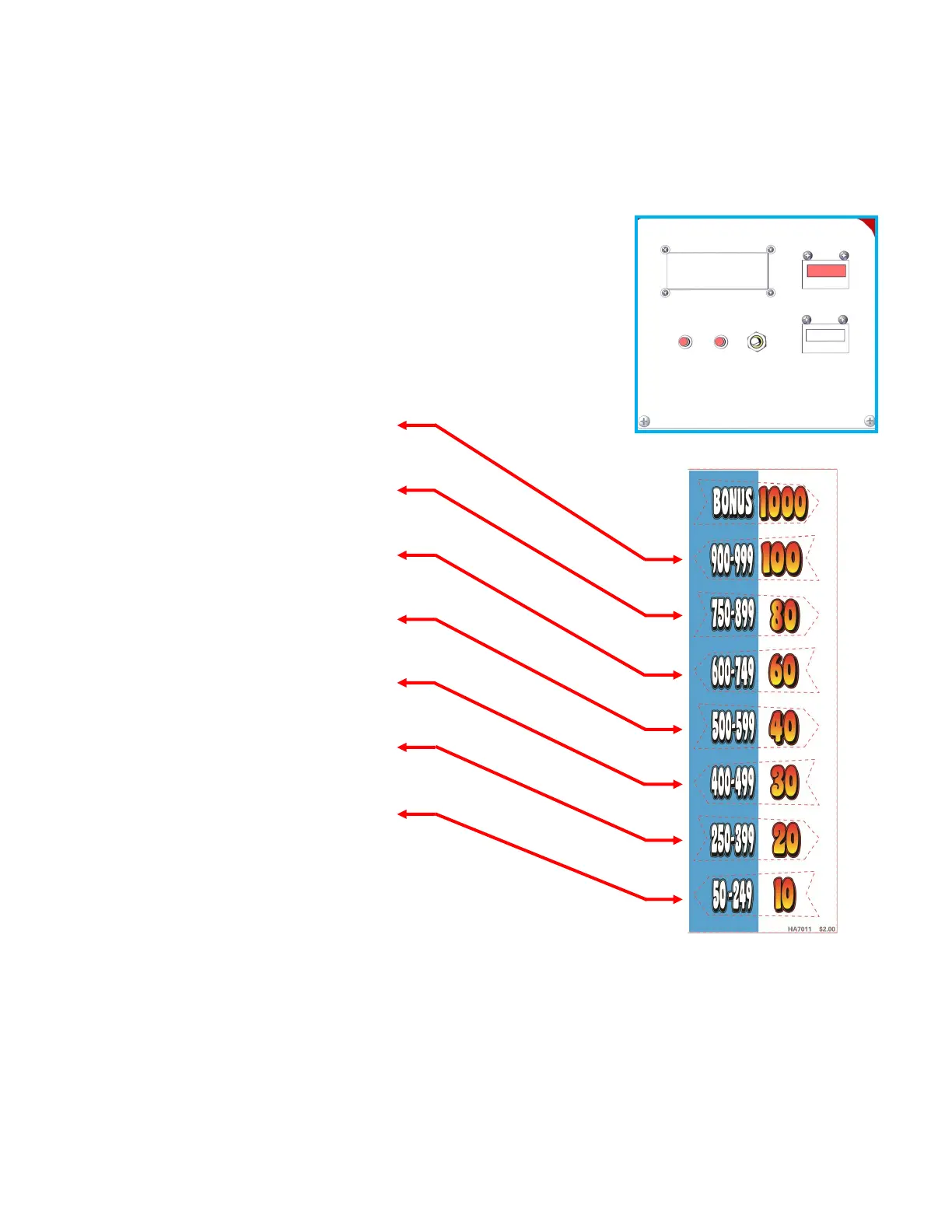
Step 5: Unlock and open the upper coin door. Press the “TEST” buon. This will cause the upper display on
the game to change to “TEST”.
NOTE: The small display inside the coin door will display the test and program menus. Press the “SRV”
buon to go to the next opon or menu. Press the “TEST” buon to select that opon or menu.
The next steps show the process to congure a $2.00 game.
Step 1: Press “SRV” unl the menu shows “8.Game SETTINGS”.
Step 2: Press “TEST” to select this menu group.
Step 3: Press “SRV” unl it shows “SET COST OF PLAY”.
Step 4: Press “TEST” to change the value unl is shows “$2.00”.
Step 5: Press “SRV” unl it shows “SET AWARD DECAL VALUES”.
Step 6: Press “TEST” unl it shows “100 ”.
Step 7: Press “SRV” once.
Step 8: Press “TEST” unl it shows “80”.
Step 9: Press “SRV” once.
Step 10: Press “TEST” unl it shows “60”.
Step 11: Press “SRV” once.
Step 12: Press “TEST” unl it shows “40”.
Step 13: Press “SRV” once.
Step 14: Press “TEST” unl it shows 30”.
Step 15: Press “SRV” once.
Step 16: Press “TEST” unl it shows “20”.
Step 17: Press “SRV” once.
Step 18: Press “TEST” unl it shows “10”.
Step 19: Press “SRV” unl it shows “Exit Game Sengs”
Step 20: Press “TEST”
Step 21: Press “SRV” to change N to Y.
Step 22: Press “TEST” to exit and accept
See “SET COIN PULSE” and “SET BONUS START” for nal changes.
THIS DISPLAY SHOWS
OPTIONS & VALUES
TEST SRV VOLUME
$2.00 COST OF PLAY INSERT


 To Next Page