14.Wireless Display for iOS
14.Wireless Display for iOS~2
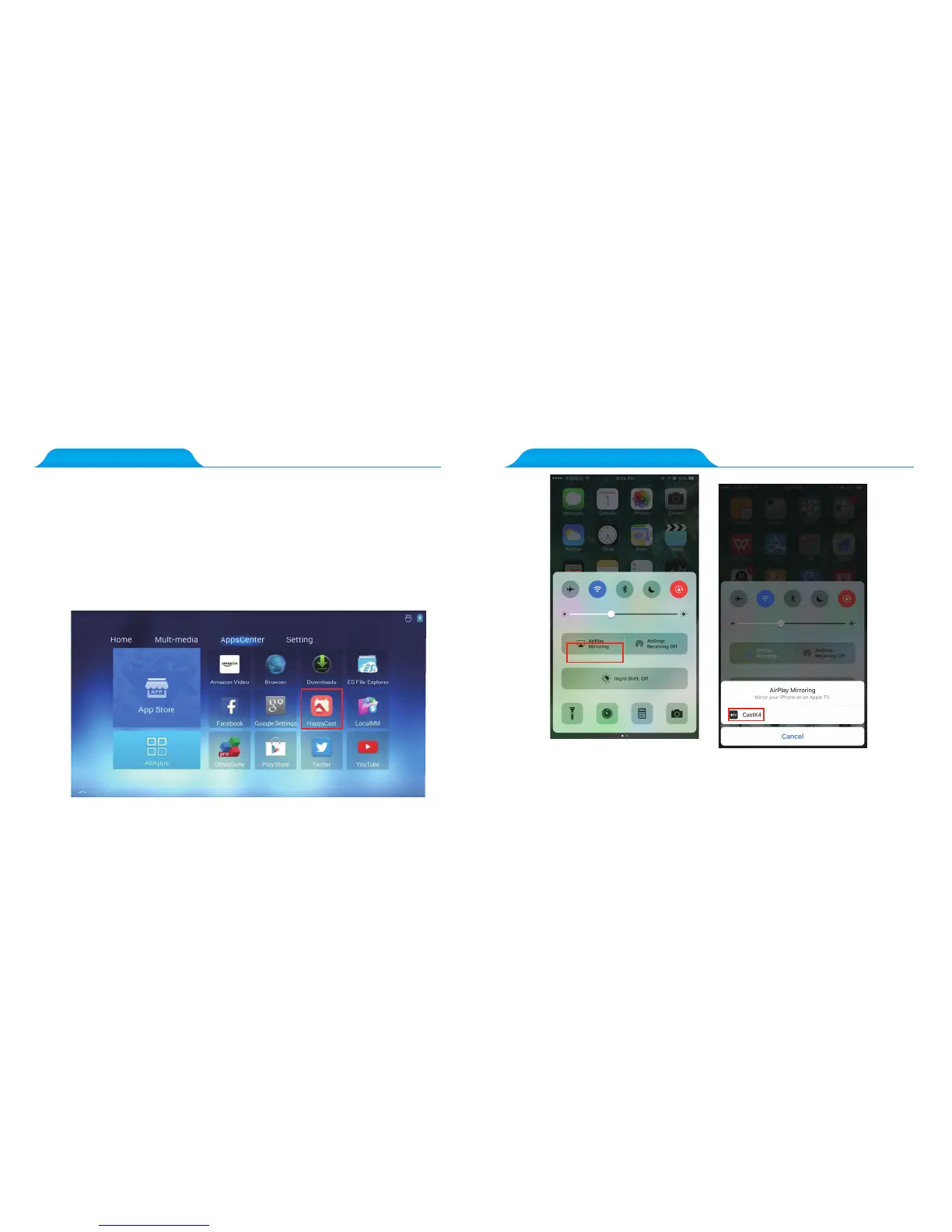
1. Connect the projector to a wireless network(the same network as your mobile device).
2. Open the Happy Cast app on projector’s home screen.
3. Connect the iOS device to the same wireless network as your projector
4. Open Airplay on your iOS device and connect with “ Cast KX” in the connection
list.
Note: Due to future possible iOS updates, the Happy Cast app may not work particularly
well when trying to cast to the projector via the wireless display function.
Step: Open Airplay on your IOS device and click the “CastKX” button
in the connection list.



 To Next Page