Need help?
Do you have a question about the Icom F6220D 16 USA and is the answer not in the manual?
This document serves as an instruction manual for the Icom IC-F5220D VHF Digital Transceiver and the IC-F6220D UHF Digital Transceiver. It provides comprehensive guidance on the device's operation, connection, maintenance, and safety information.
The Icom IC-F5220D and IC-F6220D are digital transceivers designed for commercial environments, offering reliable two-way radio communication. These devices utilize AMBE+2™ voice coding technology, which is protected by intellectual property rights and licensed solely for use within this communications equipment. The transceivers are equipped with various features to facilitate efficient and secure communication, including channel selection, transmitting and receiving capabilities, and programmable functions. They support both analog and digital modes of operation, with specific features tailored for each. The transceivers are designed to be integrated into a vehicle, with options for external speakers, microphones, and other accessories to enhance functionality.
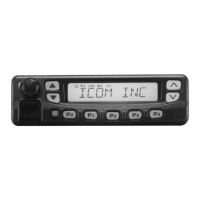
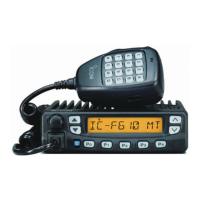
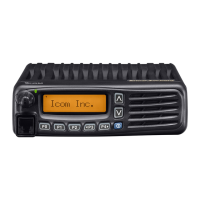
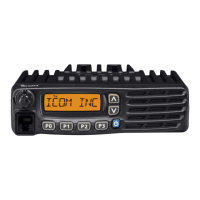
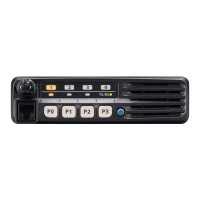
The transceivers offer a user-friendly interface with a front panel that includes an AF volume control knob, UP/DOWN keys, a power key, dealer-programmable keys, and a microphone connector. The function display provides visual feedback on the device's status, including transmit, busy, signal strength, low power, audible, GPS, encryption, bell, and scan icons, as well as an alphanumeric display for channel information and user set mode contents.
To turn the transceiver ON, the user pushes the power key. If a startup password is programmed, the user must input the correct digit codes using the programmable keys. Channel selection can be done in several ways:
To receive a call, the user turns on the power, selects a channel, and adjusts the audio output level using the [VOL] knob. For transmitting, the user must wait for the channel to be clear to avoid interference. Taking the microphone OFF hook may select an 'Audible' mode or a priority channel automatically. While holding down the PTT (Push-To-Talk) button, the user speaks into the microphone at a normal voice level, holding it 5 to 10 cm (2 to 4 inches) from the mouth for maximum readability. Releasing the PTT button returns the transceiver to receive mode.
The [UP], [DOWN], [P0], [P1], [P2], and [P3] keys can be programmed by the dealer to perform various functions, enhancing operational flexibility. These functions include:
The transceiver incorporates transmit inhibit functions that restrict transmission under certain conditions, such as when the channel is busy, or if it's a 'receive only' channel. A time-out timer cuts off transmission if it exceeds a preprogrammed limit, followed by a penalty timer period during which transmission is further inhibited.
The Priority A channel is automatically selected when the transceiver power is turned ON, when the Auto Reset timer ends, or when the microphone is taken OFF hook.
The manual provides detailed instructions for connecting the transceiver, including:
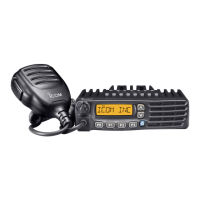
The transceiver comes with a microphone, microphone hanger and screw set, microphone hanger cable, DC power cable, function name stickers (for labeling programmable keys), mounting bracket, flat washers, nuts, spring washers, bracket bolts, mounting screws, and self-tapping screws.
The universal mounting bracket allows for overhead mounting. The transceiver should be securely mounted with the supplied screws to a thick surface capable of supporting more than 1.5 kg (3.3 lb). Felt is included to reduce vibration effects.
Each fuse holder of the supplied DC power cable contains a fuse. If a fuse blows, the user should track down the source of the problem, repair it, and then replace the damaged fuse with a new 20 A rated one. Only the applicable fuse should be used.
For cleaning, the transceiver should be wiped with a soft, dry cloth if it becomes dusty or dirty. Harsh solvents like benzine or alcohol should not be used, as they can damage the transceiver surfaces.
The manual emphasizes that the Icom radio generates RF electromagnetic energy during transmit mode and is classified for "Occupational Use Only." Users must be aware of the hazards and ways to minimize them. For FCC and Industry Canada RF Exposure Requirements, the transmitter antenna installation must comply with specific conditions:
Users are cautioned not to operate the radio without a proper antenna and not to transmit for more than 50% of total radio use time ("50% duty cycle") to comply with RF exposure limits. The radio is transmitting when the “transmit indicator” appears on the LCD.
During transmissions, the Icom radio can cause RF energy interference with other devices or systems. To avoid this, users should turn OFF the radio in areas where signs are posted and avoid operating the transmitter in areas sensitive to electromagnetic radiation, such as hospitals, aircraft, and blasting sites.
The manual also lists approved Icom optional equipment, stressing that Icom is not responsible for damage if the transceiver is used with unapproved equipment.
 General
| Frequency Range | 136-174 MHz |
|---|---|
| Weight | 285 g; 10.1 oz (with BP-280) |
| Channel Spacing | 12.5/25 kHz |
| Operating Temperature | -30°C to +60°C |
| Output Power | 5 W |
| Modulation | 16K0F3E |
| Dimensions | 58 (W) × 111 (H) × 36.5 (D) mm |
| RF Power Output | 5 W |

 To Next Page